 Somuno
Blog › Best-of lists
Adobe Podcast alternatives: other ways to enhance speech in 2026
Adobe Podcast's Enhance Speech removes noise and echo from voice recordings in a browser, for free. People look for an alternative when they hit its limits: the free plan caps each file at 30 minutes and allows 1 hour a day, it takes no video and no batches, Premium now comes only inside the US$19.99-a-month Firefly Pro plan, and every file has to be uploaded to Adobe.
The closest alternatives that run on your own Mac are Somuno, iZotope Photon and Hush. Auphonic, Descript and Cleanvoice are cloud services with more podcast-editing features, Audacity is free, iZotope RX is the full repair suite, and if you edit video, Premiere, Final Cut Pro and DaVinci Resolve Studio have voice cleanup built in.
Somuno is made by the author of this blog. Facts about the other products come from their official pages, checked in November 2026. Prices and plans change, so check them before you buy.
Why people look for an Adobe Podcast alternative
- The free plan's limits. Adobe's plans page lists “30 minutes max duration (up to 500 MB), 1 hour max per day”, “Enhance audio only, no video support”, “No bulk processing, upload one at a time” and “No strength adjustment”. You also need an Adobe account.
- Premium now means Firefly Pro. “Starting August 30, 2026, Adobe will no longer be selling Adobe Podcast Premium as a standalone plan to new members.” New customers get the Premium features – video, bulk upload, 2-hour files and speech, music and ambience controls – through Adobe Firefly Pro at US$19.99 a month, which also includes 4,000 generative credits many speech users won't need. Existing Premium subscribers keep their price.
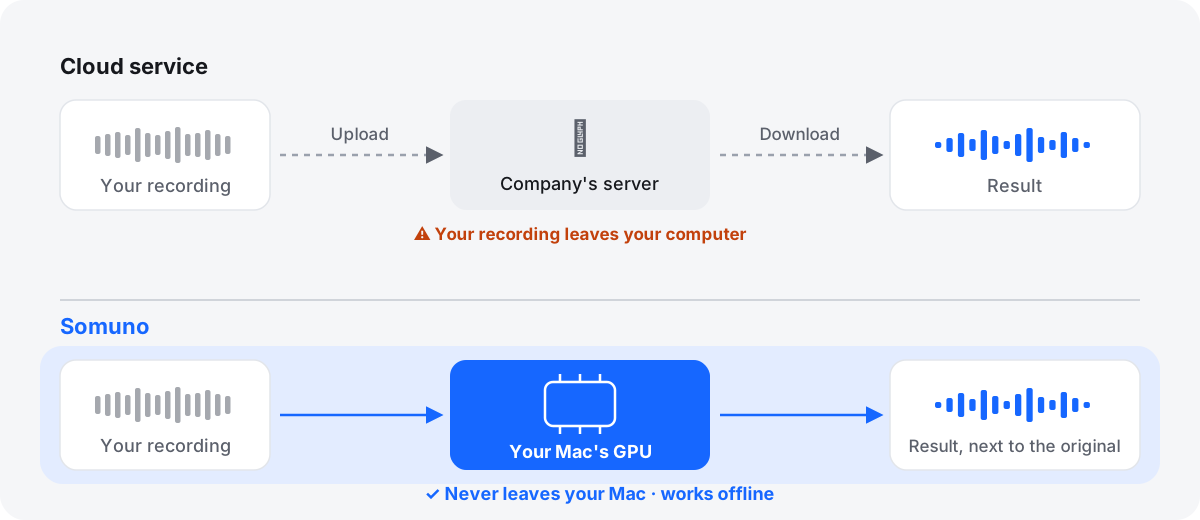
- Every file is uploaded. Enhance Speech runs in Adobe's cloud, and Adobe says upload and download speed “will depend on your internet connection speed”. That's a problem for confidential interviews, unreleased episodes and slow connections.
- No video on the free plan. Video files (MP4, MOV, M4V) need Premium. On the free plan you first have to pull the audio out of your video and put it back afterwards.
To be fair to Adobe: the free plan needs no install, works on any computer and in mobile browsers, and returns your file in the format you uploaded. For a short file now and then, it's hard to beat. Our Somuno vs Adobe Podcast comparison covers the details.
The alternatives at a glance
| Tool | Best for | Processing | Price (as of November 2026) | Free option |
|---|---|---|---|---|
| Somuno | Private batches and video on a Mac | Local | US$19.99 one-time | First 60 s of each file |
| Auphonic | Automated podcast post-production | Cloud | From US$11/month (yearly) | 2 hours a month |
| Descript | Editing by transcript | Needs internet | From US$16/month (annual) | Yes, with limits |
| Cleanvoice AI | Filler words and mouth sounds too | Cloud | From US$11 for 5 hours | 30 minutes once |
| iZotope Photon | Local cleanup plus speaker separation | Local (GPU) | US$349 (US$259 deal), or US$19/month | 14-day trial |
| Hush | Intel Macs and macOS 12 | Local | US$89.99 one-time | 21-day trial |
| iZotope RX 12 | Detailed repair | Local desktop software | From US$99 one-time | 10-day trial, no export |
| Audacity | Free steady-noise cleanup | Local | Free | Fully free |
| Adobe Premiere | Premiere editors | Local (current version) | US$22.99/month | 7-day trial |
| Final Cut Pro / Resolve Studio | Editing video there already | In the app | US$299.99 / US$295 one-time | Trial / not in free Resolve |
How we chose
Each alternative cleans recorded speech, is on sale today and fills a gap Adobe Podcast leaves: local processing, video, batches, a one-time price or deeper editing. Discontinued tools such as Goyo are left out. We didn't run blind listening tests, so the order isn't a ranking by sound. We compare where processing happens, platforms, prices, limits, video and batch handling.
Local or cloud: which kind do you need?
If your problem with Adobe Podcast is the upload, only a local tool solves it. If it's the price or the limits, a different cloud service may be enough.
10 Adobe Podcast alternatives
1. Somuno
Best local alternative on a Mac for batches and video
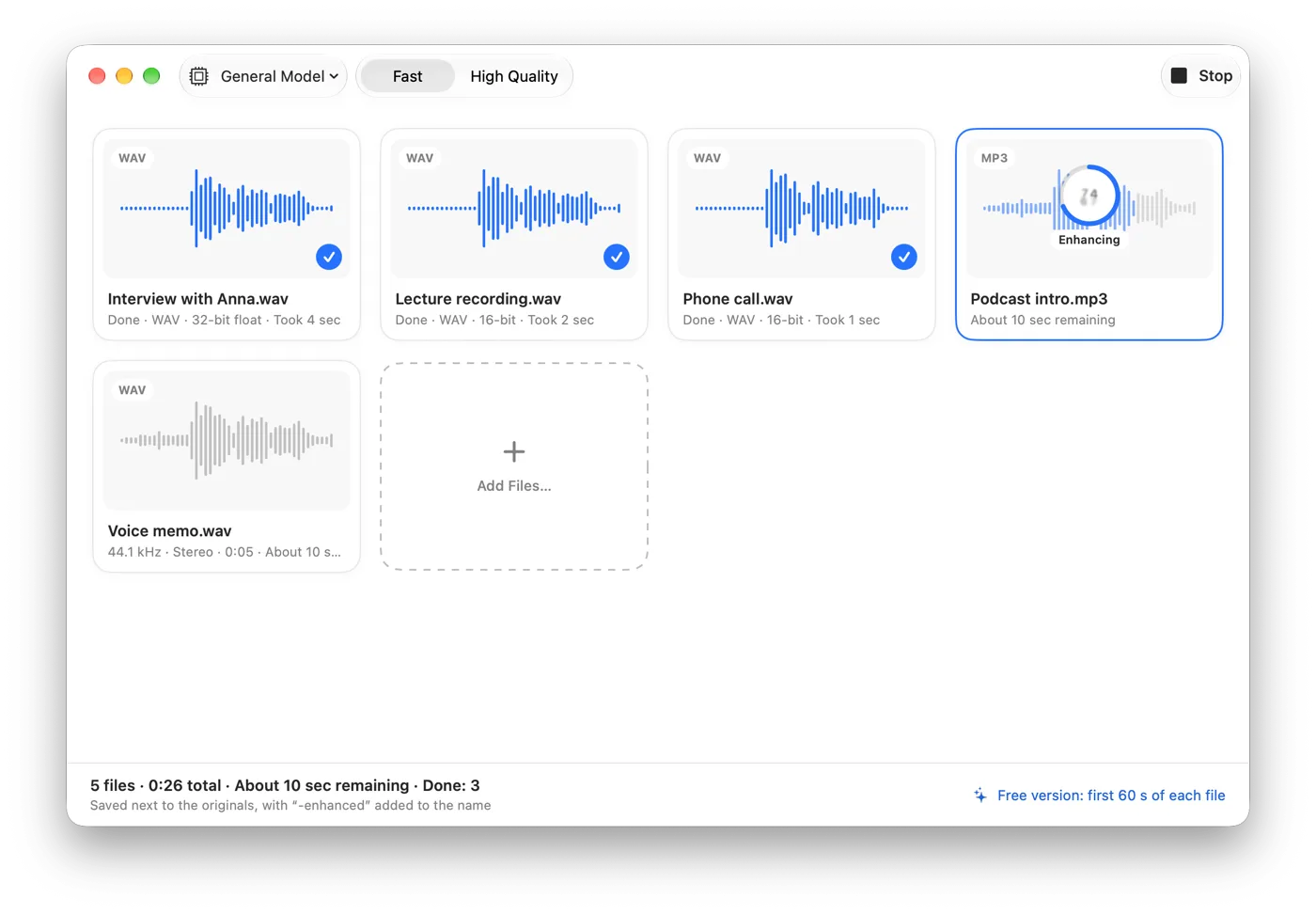
Somuno does on your Mac what Enhance Speech does in the cloud: it removes background noise and room reverb from voices, using an AI speech-enhancement model that runs on the Mac's GPU. Nothing is uploaded, no account is needed, and it works offline. It goes after the free plan's gaps directly: no length limit with Somuno Pro, whole folders in a queue, and MP4, MOV and M4V videos handled by replacing only the soundtrack, with the picture copied without re-encoding. The same model repairs clipping, missing high frequencies and codec artifacts.
The trade-off is hardware: it needs a Mac with Apple silicon and macOS 14, while Adobe works in any browser. It has a single Strength slider rather than separate speech, music and ambience controls, and it isn't for music. Somuno is about to launch – listen to the samples and see pricing.
Platform: Mac with Apple silicon, macOS 14 or later · Price (as of November 2026): US$19.99 one-time on the website, for up to 3 Macs; an in-app purchase in the Mac App Store version · Processing: local · Free option: free version that enhances the first 60 seconds of each file
Here's Somuno's output on a phone video with noise around the speaker, with default settings and matched loudness. It's Somuno's result only; we haven't run this clip through Adobe Podcast or the other tools.
Talking to a phone camera
A phone video with noise all around the speaker.
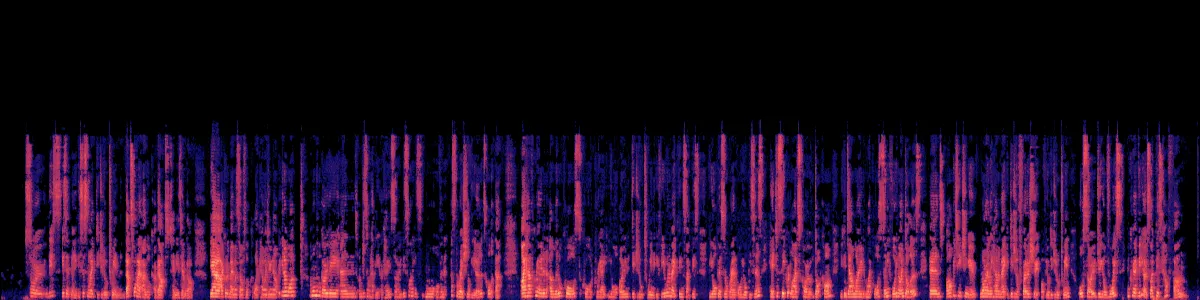
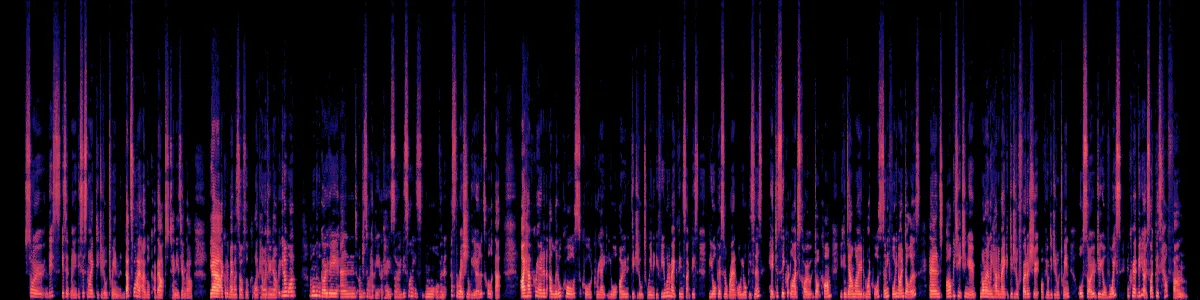 OriginalEnhanced
Original
Enhanced by Somuno
2. Auphonic
Best cloud alternative for automated podcast post-production
Auphonic is a web service that runs a whole post-production chain in one pass: noise and reverb reduction, leveling, loudness targets, filler and silence cutting, transcripts and publishing. It also offers bandwidth extension and repair of clipping and codec artifacts, accepts video files (processing the audio track only), and has an API, CLI and watch folders.
Like Adobe, it's cloud only. The free tier adds an Auphonic jingle and leaves out batch productions and watch folders, and billing is by hours of input. See Somuno vs Auphonic.
Platform: web, API and CLI · Price (as of November 2026): list price on the official site from US$11/month billed yearly or US$13 monthly for 9 hours; one-time credits from US$12 for 5 hours · Processing: cloud · Free option: 2 hours of audio a month, with a jingle
3. Descript Studio Sound
Best if you edit podcasts and videos by transcript
Studio Sound is the cleanup effect in Descript, where you edit audio and video by editing the transcript. Descript says it reduces “background noise, echo, and other distractions”, with an Intensity slider, and it accepts video directly – two things Adobe's free plan doesn't give you.
It needs an internet connection, and use is metered twice, by media hours and AI credits. See Somuno vs Descript.
Platform: Mac (macOS 14 or later), Windows, web · Price (as of November 2026): Hobbyist US$16/month billed annually or US$24 monthly · Processing: needs an internet connection · Free option: 1 media hour a month, 100 one-time AI credits, 720p exports with a watermark
4. Cleanvoice AI
Best for removing filler words and mouth sounds along with noise
Cleanvoice is a web app built for podcast editing chores: background noise, echo and reverb, but also filler words, mouth sounds, breaths and long silences. It takes video directly, processes up to 5 files per batch, and unused subscription credits roll over.
Files are uploaded and kept for 7 days. Cleanvoice itself says very strong reverb, like a large hall, may not be fully removed.
Platform: web and API · Price (as of November 2026): pay as you go from US$11 for 5 hours; subscriptions from US$11/month for 10 hours · Processing: cloud · Free option: 30 minutes of processing, once
5. iZotope Photon
Best local app for speaker separation and video export
Photon is a standalone app and ARA2 plugin whose AI models “all run locally on your GPU”, with “no cloud uploads, credits, or cutoffs”. Its speech models handle noise, echo and levels; Voice Separator splits up to 6 voices; and it takes video in and exports video with the original video stream kept.
It's a bigger up-front cost, it needs internet for its Model Manager, and its page doesn't mention batch processing.
Platform: Mac with Apple silicon (macOS 14 or later) and Windows · Price (as of November 2026): US$349 one-time, shown at US$259 in a limited-time deal; or US$19/month or US$119/year · Processing: local, on the GPU · Free option: 14-day trial with no file or export limits
6. Hush
Best one-time Mac app for Intel Macs and older macOS
Hush removes noise, reverb and sudden sounds on your Mac, takes whole batches, and runs on macOS 12 and Intel Macs. Its App Store privacy label reads “Data Not Collected”.
The App Store version dates from October 2023, and its formats and video support aren't documented. See Somuno vs Hush.
Platform: Mac, macOS 12 or later · Price (as of November 2026): US$89.99 one-time on the US Mac App Store · Processing: local · Free option: 21-day trial
7. iZotope RX 12
Best for detailed repair beyond one-click cleanup
When a one-button fix isn't enough, RX gives you a spectral editor and dozens of modules: Voice De-noise and De-reverb in every edition, plus Dialogue Isolate and a Batch Processor from Standard up. It runs as a desktop app and as plugins.
It takes time to learn, Dialogue Isolate starts at US$399, and the trial can't export. See Somuno vs iZotope RX.
Platform: Mac (Intel and Apple silicon) and Windows · Price (as of November 2026): Elements US$99, Standard US$399, Advanced US$1,399 one-time; or from US$15/month · Processing: local desktop software; iZotope describes no cloud step · Free option: 10-day trial with export disabled
8. Audacity
Best free local option for steady noise
Audacity's Noise Reduction learns a noise profile from a quiet stretch and removes steady sounds like hiss, hum and air conditioning, free and offline. It's a classic filter, not an AI voice model: its manual says it struggles with irregular noise such as traffic, and reverb isn't covered.
Audacity 4.0 doesn't include batch macros yet. See Somuno vs Audacity.
Platform: Mac, Windows, Linux · Price (as of November 2026): free, open source · Processing: local · Free option: fully free
9. Enhance Speech in Adobe Premiere
Best if you already pay for Adobe Premiere
Premiere (formerly Premiere Pro) has its own Enhance Speech in the Essential Sound panel, with a Mix Amount slider. In 2023 Adobe staff said the desktop version “has been optimized to perform locally on your machine” and that “no internet connection is required”. A newer cloud model, Enhance Speech V2, is in the Premiere beta and costs 2 generative credits per minute.
Adobe staff say it doesn't always work well with very poor audio, overlapping speakers or loud music, and it's subscription only.
Platform: Mac and Windows · Price (as of November 2026): US$22.99/month (annual plan, billed monthly) · Processing: local for the current version; the beta V2 runs in the cloud · Free option: 7-day trial
10. Final Cut Pro or DaVinci Resolve Studio
Best if you already edit video in one of them
Both editors have voice isolation built in. Final Cut Pro's Voice Isolation has an Amount slider in the Audio inspector; Resolve Studio's “uses DaVinci Neural Engine AI”. Both can be bought once, and both work on clips in the timeline, so there's no upload and no round trip.
Neither is a batch tool, Apple doesn't claim reverb removal, and Resolve's free version doesn't include Voice Isolation. See Somuno vs Final Cut Pro.
Final Cut Pro – Platform: Mac · Price (as of November 2026): US$299.99 one-time, or Apple Creator Studio at US$12.99/month · Processing: in the app; Apple describes no cloud step · Free option: 30-day Creator Studio trial
DaVinci Resolve Studio – Platform: Mac with Apple silicon (macOS 15 or later), Windows, Linux · Price (as of November 2026): US$295 one-time, shown at US$236 in a sale · Processing: on your computer; Blackmagic describes no cloud step · Free option: none for Voice Isolation
How to choose
- You don't want to upload: Somuno, Photon or Hush on a Mac, or RX if you need fine control. More in our list of offline voice enhancers.
- You want to stay in the cloud but need more: Auphonic for automated post-production, Cleanvoice for filler words, Descript for editing by transcript.
- You clean the sound of videos: Somuno and Photon take video files directly and leave the picture alone. See how to clean up the audio in a video.
- You have folders of files: Somuno, Hush, RX Standard, Auphonic's paid plans and Cleanvoice (5 files per batch). See batch noise reduction.
- You don't have a Mac: Adobe Podcast's free plan is still a sensible choice, as are the other web tools here.
Whichever you pick, test it on your own worst recording, compare at matched loudness on headphones, and don't push the cleanup so far that the voice sounds processed. Recording closer to the mic in a softer room helps every tool.
Questions
Is there a free alternative to Adobe Podcast Enhance Speech?
Auphonic gives 2 hours a month free (with a jingle), Audacity is free for steady noise, Cleanvoice offers 30 free minutes once, and Descript has a free plan with limits. Somuno's free version enhances the first 60 seconds of each file on your Mac.
Is there an offline version of Adobe Podcast Enhance Speech?
No. The Adobe Podcast tool is web only. Adobe Premiere's current Enhance Speech runs on your computer, according to Adobe staff, and local tools such as Somuno, iZotope Photon and Hush work without uploading.
How much does Adobe Podcast Premium cost now?
Since August 30, 2026, new customers get the Premium features only through Adobe Firefly Pro, at US$19.99 a month as of November 2026. People who already subscribed to Podcast Premium keep their price.
Does Somuno sound better than Adobe Podcast?
We haven't run listening tests of Enhance Speech, so we can't say, and results depend on the recording. Try the same file in both and compare at matched loudness.