 Somuno
Blog › Comparisons
Somuno vs Hush: two on-device voice cleaners for Mac
Hush and Somuno do the same basic job. You drop voice recordings onto a Mac app, and it removes background noise and room reverb on your own computer, without uploading anything. Choose Hush if you have an Intel Mac or a Mac on macOS 12 or 13, or if you work in Pro Tools and want its sister plugin, Hush Pro. Choose Somuno if you have a Mac with Apple silicon on macOS 14 or later and want a lower one-time price, video files handled directly, or repair of damage beyond noise and reverb, such as clipping, missing high frequencies and codec artifacts.
We haven't run listening tests of Hush, so this comparison sticks to what can be checked: supported Macs, price, what each says it fixes and how it fits your work. To hear the difference, run the same file through Hush's 21-day trial and Somuno's free version, as described at the end.
Somuno is made by the author of this blog. Facts about Hush come from its official website and Mac App Store listing, checked in November 2026. Prices and versions change, so check them before you buy.
Somuno and Hush at a glance
| Somuno | Hush | |
|---|---|---|
| What it is | Mac app that removes noise and reverb from voices in audio and video, and repairs damaged recordings | Mac app that removes noise and reverb from spoken audio. Hush Pro is a separate Pro Tools plugin |
| Where audio is processed | On your Mac's GPU. Never uploaded | On your Mac. Uses the Neural Engine on Apple silicon |
| Platforms | Mac with Apple silicon (M1 or later), macOS 14 Sonoma or later | Mac, macOS 12 or later. Apple silicon “strongly recommended”, Intel supported |
| Price (as of November 2026) | US$19.99 one-time on the website, for up to 3 Macs. In-app purchase on the Mac App Store, priced by Apple | US$89.99 one-time, the list price shown on the US Mac App Store. Hush Pro: US$249 |
| Free option | Free version with every feature. Enhances the first 60 seconds of each file | 21-day trial with no restrictions. No free version |
| What it fixes | Background noise and hum, room reverb and echo, clipping, missing high frequencies, codec artifacts, dropouts, low-quality microphones | Broadband noise (ventilation, appliances, traffic, wind), reverb, and transient noises such as barking dogs and honking horns |
| Video files | MP4, MOV and M4V: the soundtrack is replaced, the picture is copied without re-encoding | Not stated on its official pages |
| Batch processing | Yes. Files and whole folders go into a queue | Yes. Single files or whole batches, written to a folder you choose |
| Account or internet needed | No account. Works offline | Not stated. Processing runs on your Mac |
Do both keep your recordings private?
Yes. Hush's website says it “runs locally on your Mac”, and its App Store privacy label reads “Data Not Collected”. Somuno never uploads recordings, needs no account and works offline. Privacy matters more against a cloud service, as in Somuno vs Auphonic.
Which Macs do they run on?
This is the clearest difference, and on older Macs it favors Hush.
- Hush requires macOS 12 Monterey or later. Its App Store listing calls Apple silicon “strongly recommended” and says Intel CPUs are “also supported”, though on Intel “rendering may take significantly longer”, according to Hush's site.
- Somuno needs a Mac with Apple silicon (M1 or later) and macOS 14 Sonoma or later. There is no Intel version.
On an Intel Mac, or one that stays on macOS 12 or 13, only Hush runs. On a newer system, note that Hush's product page lists Monterey, Ventura and Sonoma as supported, so use the trial to check it on yours.
How recently has Hush been updated?
As of November 2026, the version of Hush on the Mac App Store is 1.2.1, released on October 14, 2023. Its release notes say it fixes a performance issue on macOS Sonoma. The same developer makes Hush Pro, the Pro Tools plugin described below, which won a 2025 Engineering, Science & Technology Emmy, according to Hush's press page.
Both come from independent developers – Hush's support page says “Hush is the work of one person” – and Somuno is new, with no long update history yet. With either app, use the trial or free version to check it on your Mac.
What do they cost?
Neither app is a subscription.
- Hush: US$89.99 one-time, the list price shown on its US Mac App Store page as of November 2026, with no in-app purchases. You can also buy it on the Hush website, but we couldn't confirm the price there. The site says a purchase “includes free minor updates (up to version 1.x)” and offers a 21-day trial with no restrictions.
- Somuno: US$19.99 one-time on the Somuno website, for up to 3 Macs you own or use, with a 30-day money-back guarantee. In the Mac App Store version, Somuno Pro is an in-app purchase priced by Apple in your local currency. The free version has every feature but enhances only the first 60 seconds of each file.
Hush's trial processes whole files for three weeks; Somuno's free version enhances the first minute of each file. Somuno is about to launch – see pricing.
Hush Pro: noise removal inside Pro Tools
If you work in Pro Tools, Hush has something Somuno doesn't. Hush Pro is an AudioSuite plugin for Pro Tools. As of November 2026, the list price shown on the official site is US$249, or US$179 for owners of Hush 1.2 or later. It needs Apple silicon and macOS 13.1 or later. AU and VST versions are “planned but not yet available”, according to Hush's site.
Somuno isn't a plugin. From a DAW you export the dialogue, clean it in Somuno and import the result – a small detour for occasional cleanup, but a dialogue editor in Pro Tools all day is better served by a plugin.
What does each one fix?
Hush's product page describes three kinds of problems:
- broadband noise, such as “ventilation, appliances, traffic, and wind”
- reverb (“room reflections and comb filtering”), with a dry-mix dial to keep some of the room
- transient noises, such as “chirping birds, barking dogs, or honking horns”
The page doesn't mention rebuilding missing high frequencies or repairing clipping.
Somuno uses an AI speech-enhancement model that runs on your Mac. One model handles background noise and hum, room reverb and echo, clipping, missing high frequencies, codec artifacts, dropouts from packet loss and the sound of low-quality microphones. That matters for phone calls, Zoom and old tapes – see how to fix muffled, clipped or low-quality recordings.
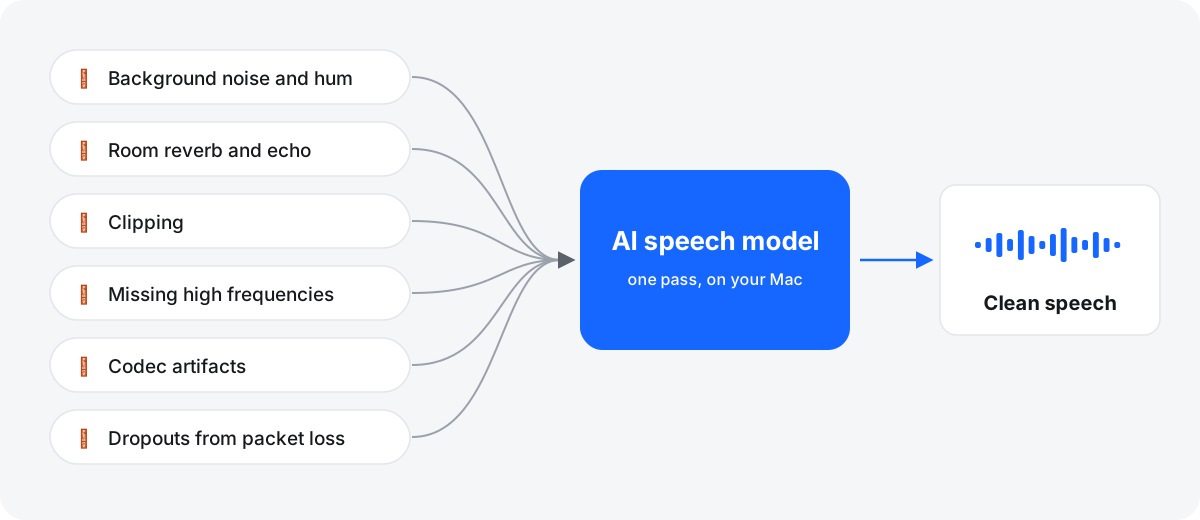
Somuno offers General Model or Keep Laughter, which keeps laughter, and a 0–100 % Strength slider that mixes the original back in. It has no per-band controls or spectral editing. It's made for speech, so it removes or distorts background music, and very damaged audio can come out with artifacts.
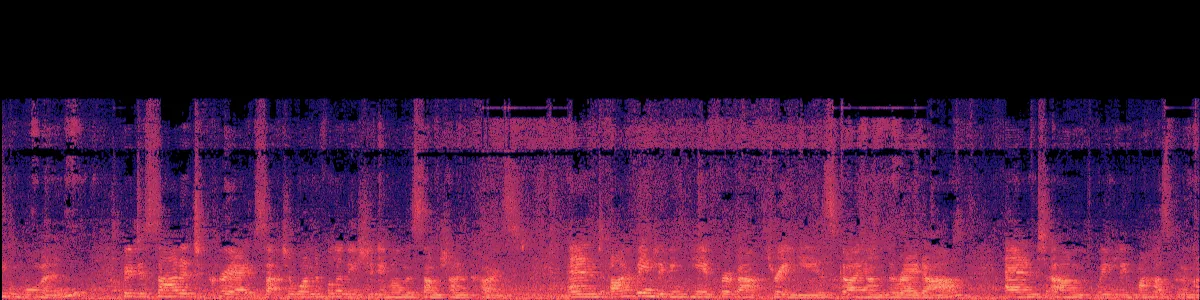
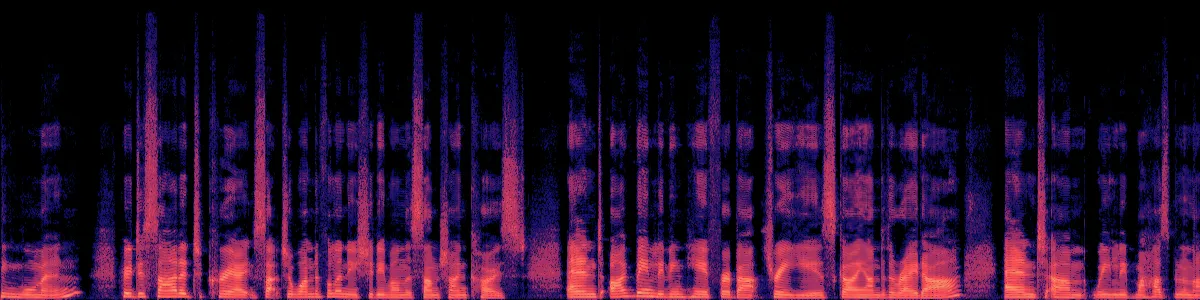
Here is Somuno's output on a talk recorded across a large, reverberant room, with default settings and both versions level-matched. This is Somuno's result only, not Hush's.
Speech in an echoey room
A talk picked up from across a large, reverberant room.
 OriginalEnhanced
Original
Enhanced by Somuno
In the original, each syllable trails into the next over a constant noise floor. After Somuno, the syllables are separate strokes with dark gaps between them. More on this in how to remove echo and room reverb.
Video, formats and batches
Hush “accepts individual audio files or whole batches” and writes results to a folder you choose. Its site and App Store listing don't say which formats it opens or whether it accepts video, so test yours during the trial.
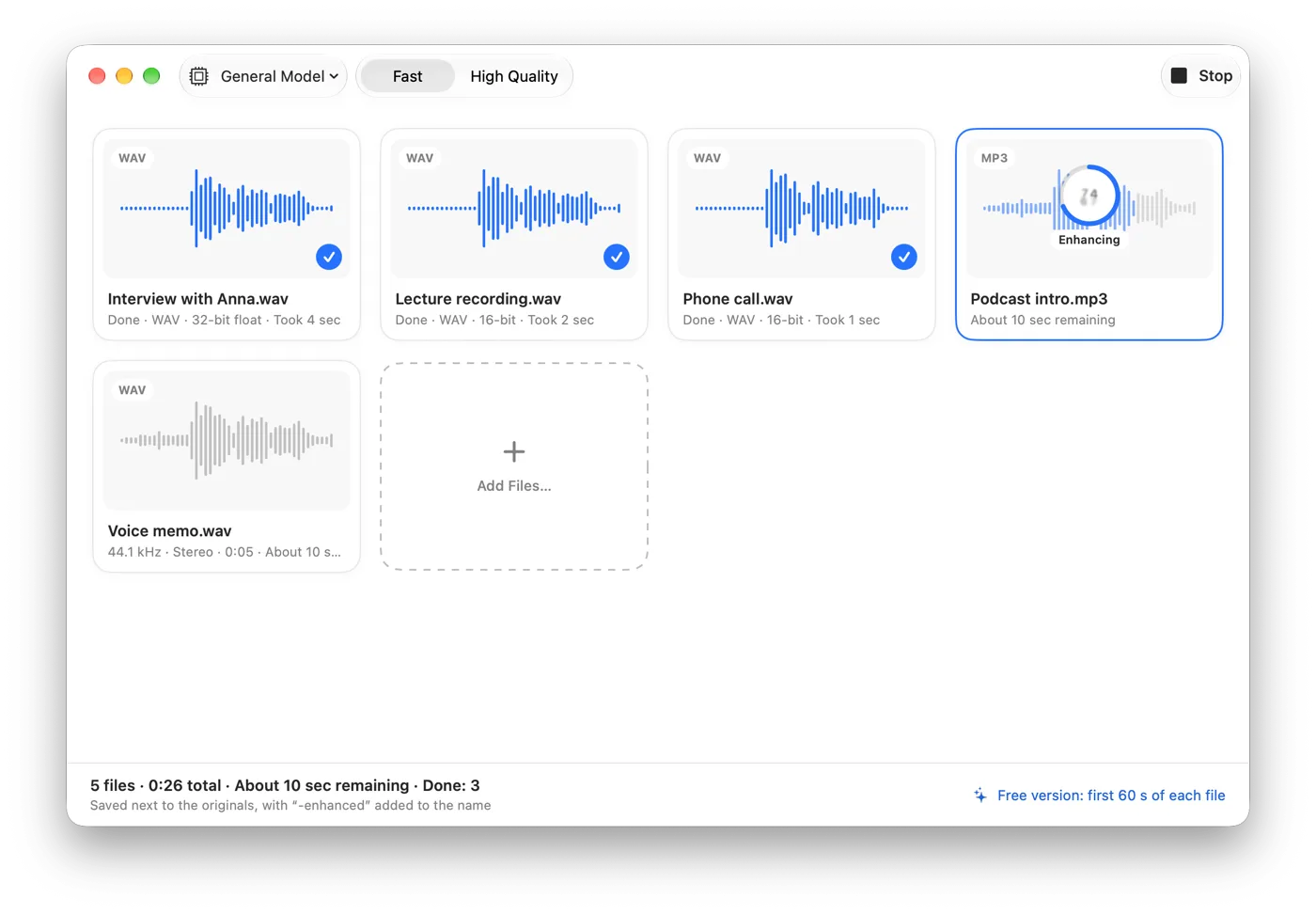
Somuno opens WAV, AIFF, FLAC, Apple Lossless, MP3 and AAC. For MP4, MOV and M4V videos, it replaces only the soundtrack and copies the picture without re-encoding. Files and whole folders go into a queue, and each result is saved with “-enhanced” added to the name.
Which one should you choose?
Choose Hush if…
- you have an Intel Mac, or a Mac on macOS 12 or 13
- you edit in Pro Tools and want Hush Pro on the timeline
- your main problems are broadband noise, reverb and sudden sounds like barking dogs
- you want to test full-length files before buying
Choose Somuno if…
- you have an Apple silicon Mac on macOS 14 or later
- your recordings also have clipping, missing highs, codec artifacts or dropouts
- you clean the sound of videos and want the picture untouched
- you want a lower one-time price, for up to 3 Macs from the website
- you record podcasts or interviews and want to keep the laughter
Bottom line: both apps keep your audio on your Mac, and neither charges a subscription. For many people the Mac decides: Hush runs on Intel Macs and macOS 12, while Somuno needs Apple silicon and macOS 14. On a recent Mac, run both on the same recording before you pay.
How to compare them on your own recording
- Pick one recording with the problem you care about. Somuno's free version enhances the first 60 seconds, so export the worst part as a one-minute WAV.
- Process the same file in both apps, with default settings first.
- Match the loudness of the two results. A louder version always seems better.
- On headphones, listen to the pauses: is the noise gone, or does it pump between words? Then to consonants: S, T and F should stay crisp.
- If a result sounds over-processed, turn it down – Strength in Somuno, the dry-mix dial for reverb in Hush – and listen again.
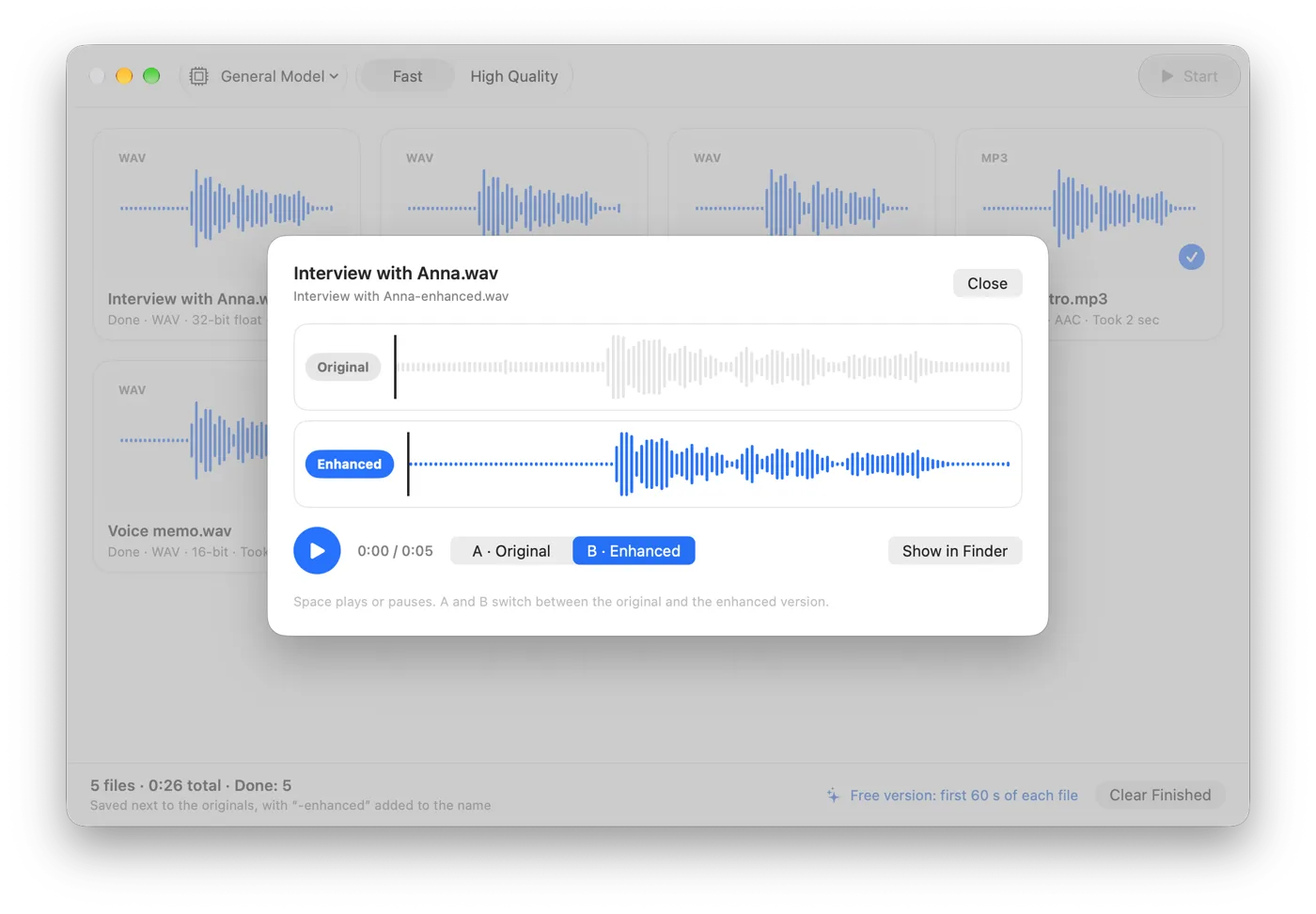
With either tool, the recording matters most: get closer to the mic, soften the room, keep some room tone, use lossless files and don't over-process. Hear more in the before-and-after samples.
Questions
Does Hush or Somuno sound better?
We haven't run listening tests of Hush, so we can't say, and it depends on the recording. Try both on the same file with Hush's 21-day trial and Somuno's free version.
Does Somuno run on Intel Macs?
No. Somuno needs Apple silicon (M1 or later) and macOS 14 Sonoma or later. Hush supports Intel Macs and macOS 12, though its site says rendering on Intel may take significantly longer.
Is there a Somuno plugin for Pro Tools or Logic?
No. Somuno is a standalone app that processes files. Hush Pro is a Pro Tools plugin.
When was Hush last updated?
As of November 2026, the latest Mac App Store version is 1.2.1, released on October 14, 2023. Its product page lists macOS Monterey, Ventura and Sonoma as supported, so check it on your Mac during the trial.