 Somuno
Blog › Guides
How to remove echo and room reverb from a voice recording
Most “echo” in a voice recording is room reverb: your voice bouncing off hard walls, floor and ceiling and reaching the microphone a moment after the direct sound. To remove it after recording, you need a de-reverb tool – either a dedicated de-reverb effect in an audio repair suite, or a speech-enhancement model trained to recover the dry voice. Ordinary noise reduction and EQ barely touch it, because the reverb is made of the voice itself.
On a Mac, the short version with Somuno is: add the file, click Start, and compare. Reverb and background noise are removed in the same pass. The rest of this guide explains why reverb is hard to remove, how to judge the result with any tool, and how to stop it at the source.
Is it echo or reverb?
The two words get mixed up, and it helps to know which one you're hearing:
- Echo is a distinct repeat: you hear the word, then hear it again. Think of shouting across a valley, or a hard wall far from the speaker.
- Reverb is a dense wash of reflections that blur into a tail. It's the sound of a bathroom, an empty apartment, a classroom or a gym. Words lose their edges and run into each other.
Almost every recording people describe as echoey is actually reverberant, and the tools below treat both. One exception: the echo you hear of your own voice during a video call is a live problem that the calling app has to cancel in real time. Somuno works on recorded files, so it can clean the recording of a call afterwards, but not the call itself.
Why noise reduction doesn't remove reverb
Background noise is a separate sound sitting under the voice. Reverb is delayed copies of the voice, overlapping the next syllables in both time and pitch. That makes the usual tricks weak:
- Profile-based noise reduction learns a steady noise pattern from a quiet stretch. Reverb follows the voice and has no steady pattern to learn.
- EQ can take some boominess out of a boxy room by cutting the low mids, but it doesn't shorten the tail.
- A noise gate silences the tail between phrases, but leaves it inside words, and can make speech sound choppy.
What does work is processing built for the job: de-reverb effects that model how the room decays, and speech-enhancement models trained on pairs of reverberant and clean speech, which learn to predict the dry voice.
Hear it: speech in a large, echoey room
This talk was recorded from across a large reverberant room. It was processed with Somuno's default settings, and both versions are set to the same loudness. Press play and switch between Original and Enhanced while it plays.
Speech in an echoey room
A talk picked up from across a large, reverberant room.
 OriginalEnhanced
Original
Enhanced by Somuno
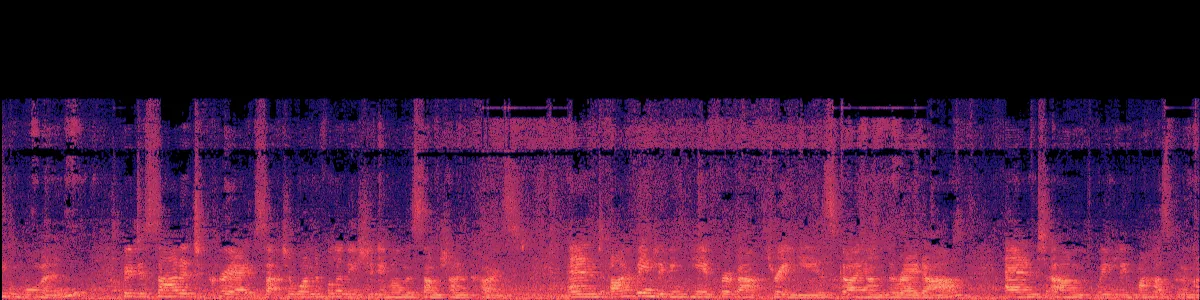
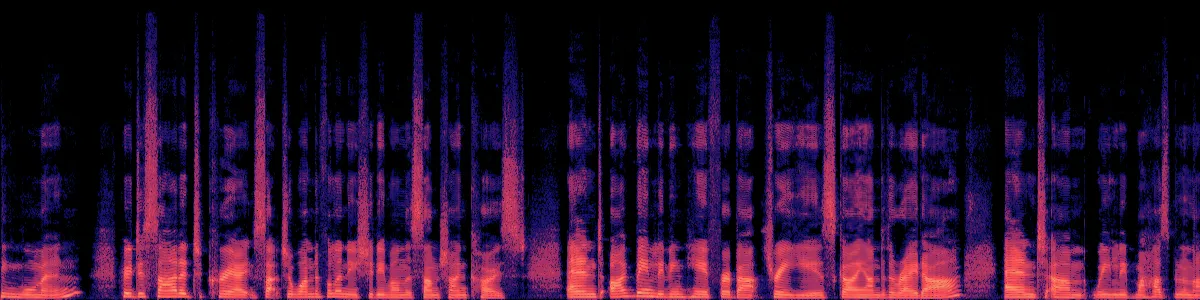
The spectrograms show the difference. In the original, each syllable is smeared and trails into the next, over a constant noise floor. After Somuno, the syllables are separate vertical strokes with dark gaps between them – the tails are gone.
How to remove echo from audio in Somuno
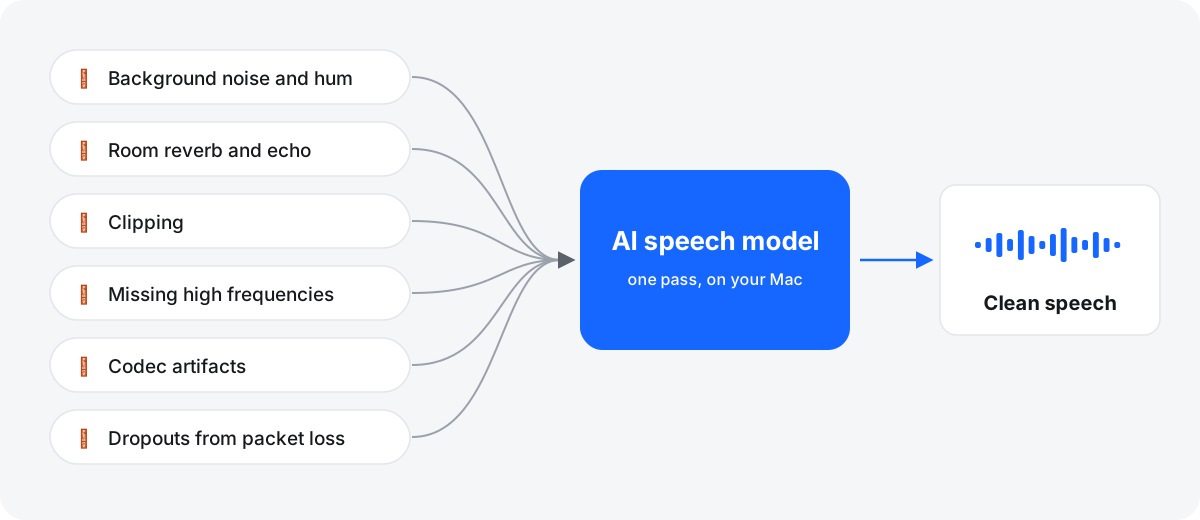
Somuno uses an AI speech-enhancement model that runs on your Mac. Room reverb is one of several kinds of damage it handles at once, so there's no separate de-reverb setting to find.
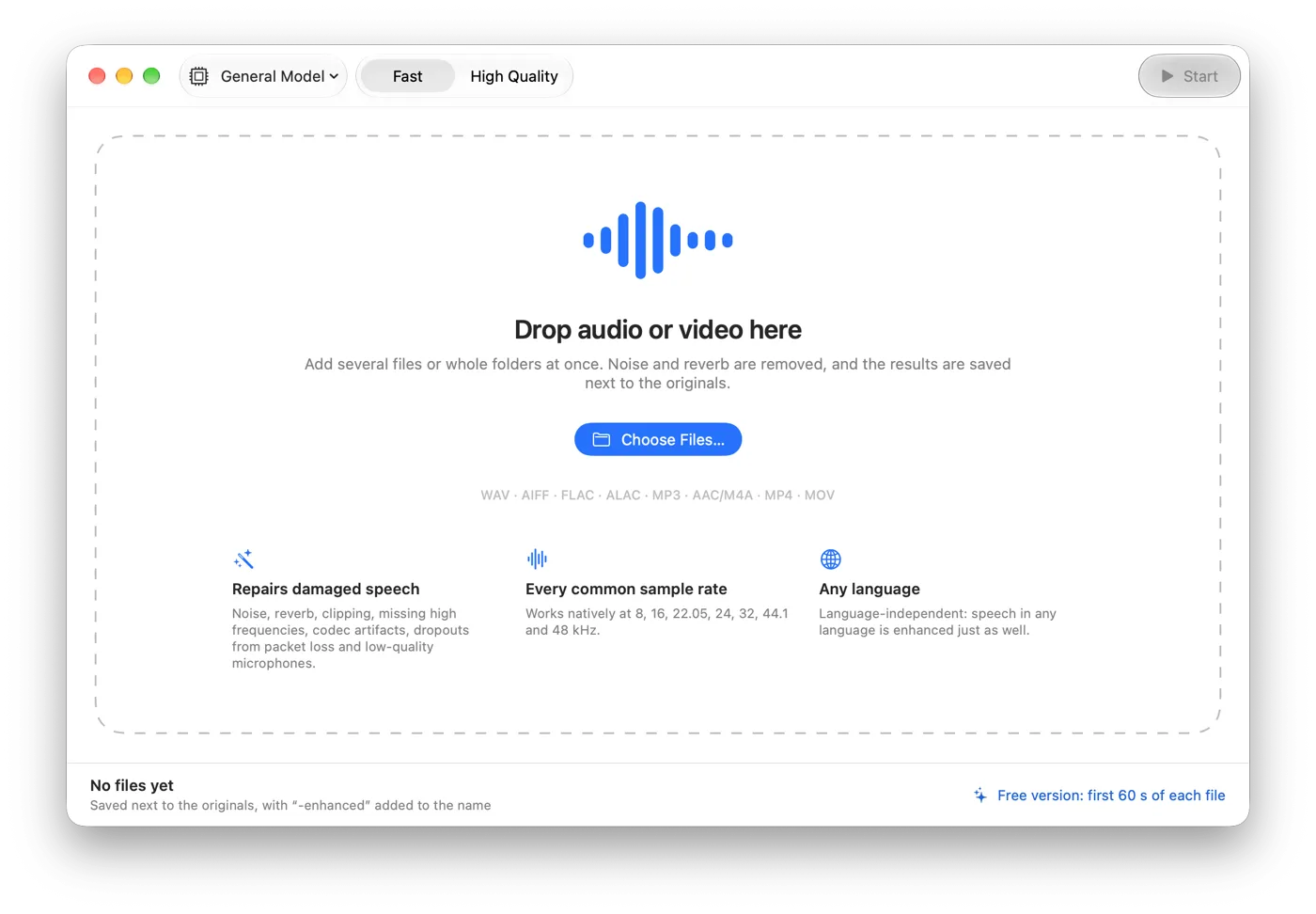
- Drag the recording onto the Somuno window, or choose File › Add Files… (⌘O). Audio files and MP4, MOV and M4V videos both work.
- In the toolbar, keep General Model, or choose Keep Laughter if the audience's laughter should stay in.
- Set Speed. Fast uses 10-second segments; High Quality uses 5-second segments overlapping by half. For a recording you care about, process it with High Quality too and compare the two.
- Click Start. The result is saved next to the original, with “-enhanced” added to the name. To save it somewhere else, open Somuno › Settings… and change Save To.
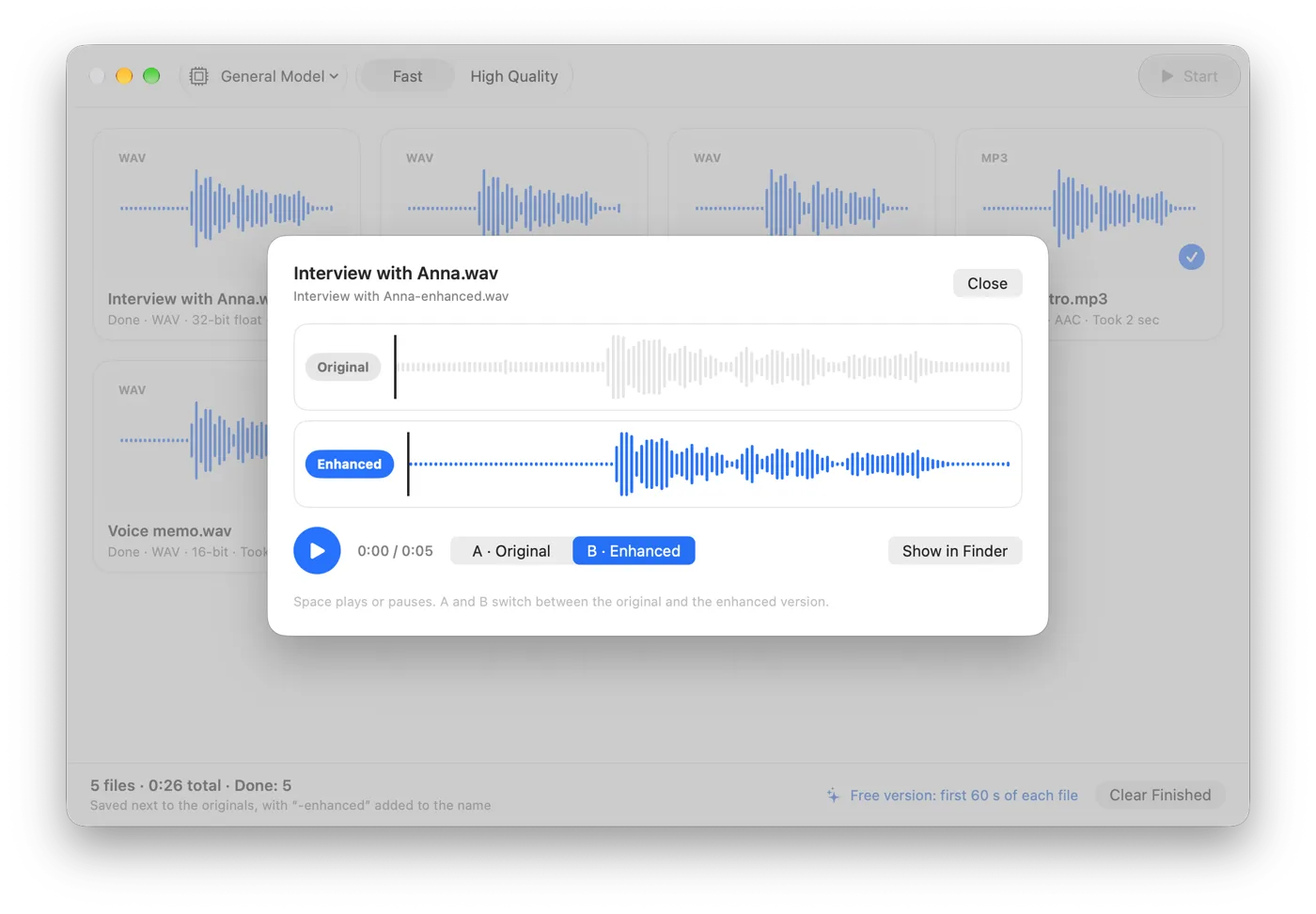
- Double-click the finished file to open Compare. Press Space to play, then A and B to switch between the original and the enhanced version.
What to expect
How well any de-reverb tool works depends mostly on how far the speaker was from the microphone and how long the room rings.
- Close microphone, lively room: the direct voice is strong and the reverb sits around it. This is the easiest case.
- Distant microphone, big hall: the direct voice is weak, so much of the voice has to be reconstructed. The result can sound thinner, or have artifacts. Test before you commit.
- The result sounds very dry. That's the point, but you can go too far. A little of the original room often sounds more natural than none. In Somuno, lower Strength in Somuno › Settings… to mix some of the original back in (100 %, the default, is fully enhanced). In a video, a touch of reverb added at the mix stage can also help a dry voice match the other scenes.
- Don't run de-reverb twice. If a result isn't right, go back to the original rather than processing the result again.
Somuno is made for speech. It removes or distorts music and other non-speech sound, so it won't take the reverb off a song or a choir.
How to avoid echo when recording
Reverb is far easier to prevent than to remove. These habits help whatever you record with:
- Get the microphone close. Distance is the biggest factor. Each time you halve it, the voice gets about 6 dB louder while the room stays the same. A clip-on microphone on the chest, or a desk microphone a hand's width from the mouth, beats any room treatment.
- Add soft surfaces. Rugs, curtains, a sofa, full bookshelves, a duvet hung behind you. A closet full of clothes is a classic home vocal booth.
- Avoid bare corners and empty rooms. Parallel bare walls make a ringing flutter echo.
- Use a directional microphone pointed at your mouth. Laptop and phone microphones hear the whole room.
- Clap once before you start. If you hear a ring after the clap, the recording will have it too.
- Record a few seconds of room tone, record lossless, and monitor on headphones.
When a different tool fits better
Somuno's only amount control is Strength, which mixes the result with the original. It has no per-band controls for how much reverb to remove at which frequencies. If you need that kind of fine control for audio post work, an audio repair suite with a dedicated de-reverb module gives you sliders and spectral editing. If you want de-reverb inside your editor or DAW as a plugin, Somuno isn't that: it's a standalone app that processes files. It also needs a Mac with Apple silicon. For a side-by-side look at the options, see echo removal tools.
Reverb rarely comes alone. If the recording is also noisy, see how to remove background noise from audio on Mac. If it's a phone call or old tape that is also muffled or distorted, see how to fix muffled, clipped or low-quality voice recordings. You can try Somuno free: the free version enhances the first 60 seconds of each file. Hear more samples or see pricing.
Questions
Can you completely remove echo from a recording?
Often you can remove most of it, but not always all of it. The closer the microphone was, the more natural the result. A voice recorded from far away in a big hall has little direct sound left, and any tool has to guess more.
Can I remove echo from a Zoom or Teams recording?
Yes, once it's a file. Somuno can process the saved recording. It can't remove echo during a live call, because it doesn't process audio in real time.
Will removing reverb change how the voice sounds?
It makes the voice sound closer and drier, which is the intended result. If the voice sounds thin or robotic, try High Quality, or lower Strength in Settings to keep a little of the original room. Compare with the original on headphones. Some recordings are too reverberant to restore cleanly.
Does it work on the audio in a video?
Yes. For MP4, MOV and M4V files, Somuno enhances only the soundtrack and copies the picture as is. See how to clean up the audio in a video.