 Somuno
Blog › Best-of lists
The best tools to remove echo and reverb from voice recordings
To remove echo from a voice recording, you need a tool built for dereverberation – ordinary noise reduction mostly leaves room reverb alone. The tools whose makers say they handle reverb or echo include iZotope RX 12 and iZotope Photon, the Mac apps Hush and Somuno, the plugins Accentize dxRevive and Antinode Clear, and the cloud services Adobe Podcast, Descript, Auphonic and Cleanvoice.
Which one fits depends on where you work and whether the recording may be uploaded. Below are 10 options, what each is best for, an honest limitation, and the facts as of November 2026. Expect a clear improvement, not a miracle: in a very reverberant hall, some of the room usually stays, and the makers say so too.
Somuno is made by the author of this blog. Facts about the other products come from their official pages, checked in November 2026. Prices and features change, so check them before you buy.
Echo or reverb: what you're removing
Most “echo” in a voice recording is really room reverb: sound bouncing off hard walls, floors and ceilings and reaching the mic a little after the direct voice. It smears each syllable into the next. A distinct repeat, like a shout across a valley, is a true echo, and the echo you hear on a video call is a live-call problem that calling apps cancel in real time.
Reverb is a delayed copy of the voice itself, so a noise filter that learns a steady noise profile can't separate it. You need a dereverb effect or a speech model trained to recover the dry voice. Our guide to removing echo and room reverb explains this in more detail.
How we chose
We included only tools whose official pages say they reduce reverb or echo in recorded speech, and that are on sale today. That leaves out some well-known tools – see “Not on this list” below. We didn't run blind listening tests, so the numbers aren't a ranking by sound. We compare what can be checked: where processing happens, platforms, price, limits, video and batch handling.
At a glance
| Tool | Best for | Processing | Price (as of November 2026) | Free option |
|---|---|---|---|---|
| Somuno | Echoey batches and videos on a Mac | Local | US$19.99 one-time | First 60 s of each file |
| iZotope RX 12 | Precise dereverb in post | Local desktop software | From US$99 | 10-day trial, no export |
| iZotope Photon | Echoey interviews and video, locally | Local (GPU) | US$349 (US$259 deal) | 14-day trial |
| Hush | Adjustable dereverb, Intel Macs too | Local | US$89.99 one-time | 21-day trial |
| Accentize dxRevive | Reverb plus damaged dialogue | Local | US$99 / US$299 | 7-day trial |
| Antinode Clear | A reverb knob in your DAW | In your host app | US$69 (US$49 offer) | Limited trial |
| Adobe Podcast | Free, in a browser | Cloud | Free; Premium US$19.99/month | Yes, with limits |
| Descript | Editing by transcript | Needs internet | From US$16/month (annual) | Yes, with limits |
| Auphonic | Automated podcast post | Cloud | From US$11/month (yearly) | 2 hours a month |
| Cleanvoice AI | Echo plus filler words | Cloud | From US$11 for 5 hours | 30 minutes once |
10 tools that remove echo and reverb
1. Somuno
Best for echoey recordings in batches on a Mac, audio or video
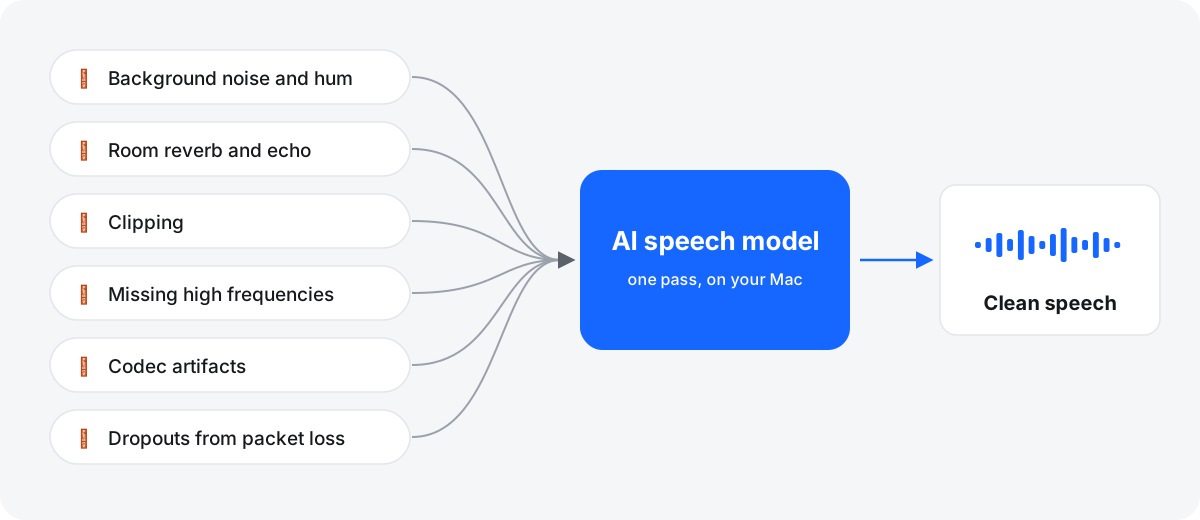
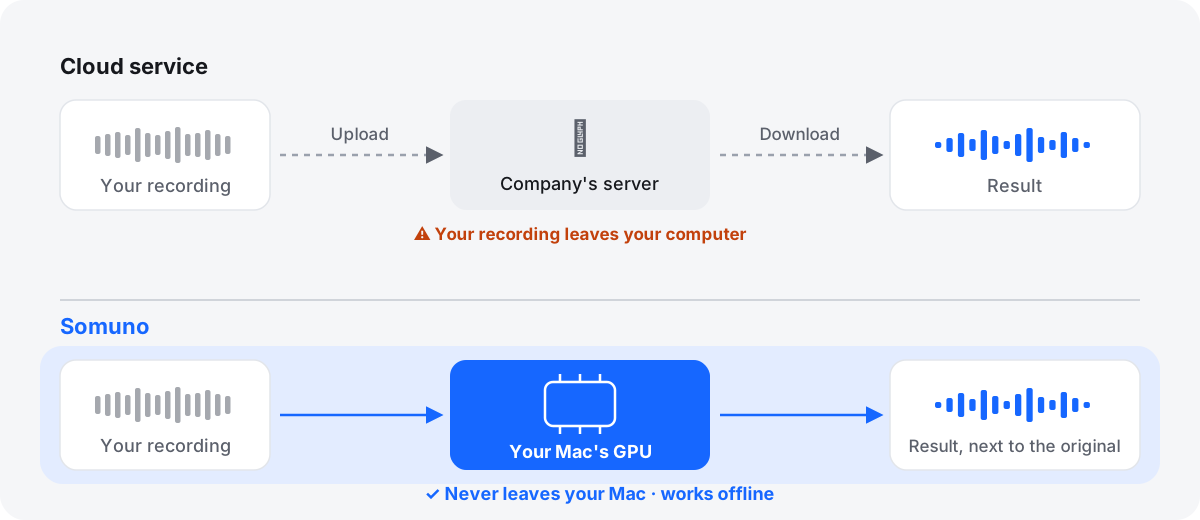
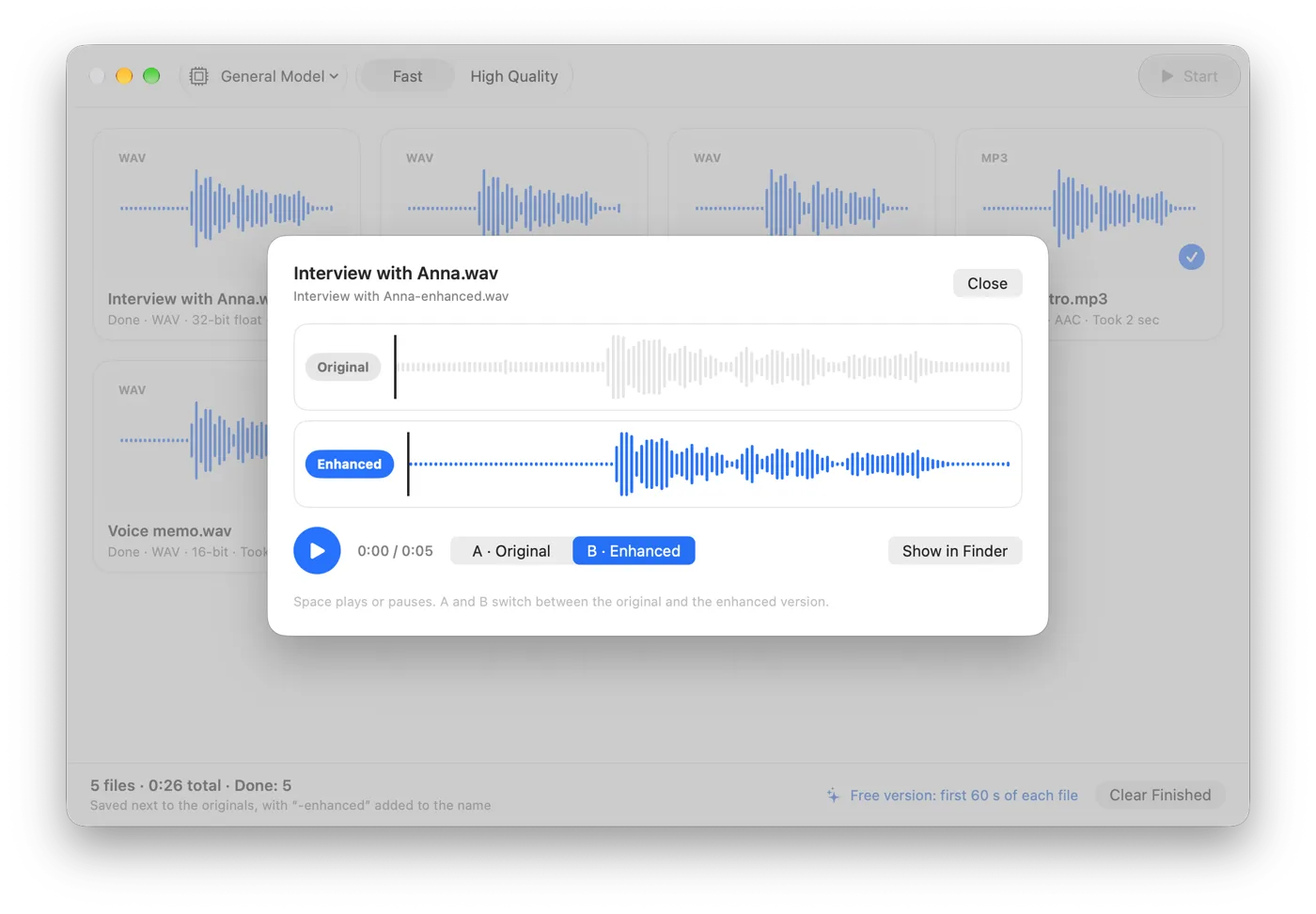
Somuno removes room reverb and background noise from voices in one pass, using an AI speech-enhancement model that runs on your Mac's GPU. There's no separate dereverb switch: the same model also handles clipping, missing high frequencies and codec artifacts, which often come with echoey phone and Zoom recordings. Add files or folders to a queue; for MP4, MOV and M4V videos it replaces only the soundtrack. Nothing is uploaded.
If the result sounds too dry, lower the Strength slider to mix a little of the original room back in. There are no separate reverb and noise controls, it needs Apple silicon, and it isn't a plugin. Somuno is about to launch; listen to the samples first.
Platform: Mac with Apple silicon, macOS 14 or later · Price (as of November 2026): US$19.99 one-time on the website, for up to 3 Macs; an in-app purchase in the Mac App Store version · Processing: local · Free option: free version that enhances the first 60 seconds of each file
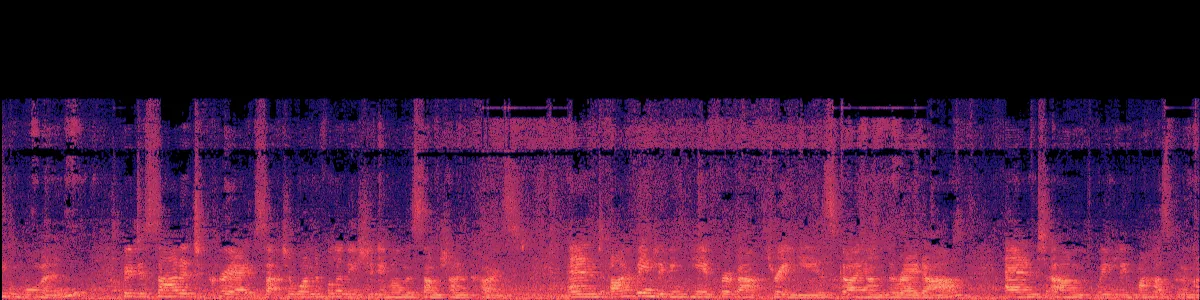
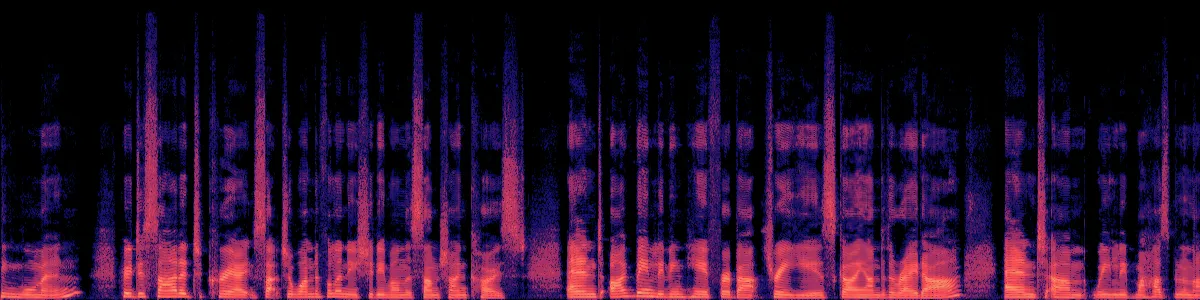
Here's Somuno's output on a talk recorded across a large, reverberant room, with default settings and matched loudness. It's Somuno's result only; we haven't run this clip through the other tools.
Speech in an echoey room
A talk picked up from across a large, reverberant room.
 OriginalEnhanced
Original
Enhanced by Somuno
In the original, each syllable trails into the next over a constant noise floor. After Somuno, the syllables are separate strokes with dark gaps between them.
2. iZotope RX 12
Best for precise dereverb in post-production
RX has two routes to a drier voice. De-reverb, in all three editions, can “reduce some of the reverb from a recorded space”. Dialogue Isolate, from Standard up, is built to “salvage recordings buried under noise and reverb”, with offline and real-time modes. Both work in the RX editor or as plugins in your DAW or video editor.
It's the most controllable option here and the most work to learn. Dialogue Isolate starts at US$399, and the trial can't export. See Somuno vs iZotope RX.
Platform: Mac (Intel and Apple silicon) and Windows · Price (as of November 2026): Elements US$99, Standard US$399, Advanced US$1,399 one-time; or from US$15/month · Processing: local desktop software; iZotope describes no cloud step · Free option: 10-day trial with export disabled
3. iZotope Photon
Best for echoey interviews and video, processed locally
Photon's Indoor model is for rooms where “four walls did you no favors”, clearing “the noise and echo distracting from dialogue”, and its Voice Restore model handles “noise, levels, mic tone, and echo”. Its models run locally on the GPU, it takes video in and exports video with the original stream kept, and Voice Separator can split up to 6 voices.
It needs Apple silicon on a Mac, its Model Manager needs the internet, and its page doesn't mention batch processing. Boris FX's CrumplePop bundle, which includes Photon, also has an EchoRemover plugin.
Platform: Mac with Apple silicon (macOS 14 or later) and Windows · Price (as of November 2026): US$349 one-time, shown at US$259 in a limited-time deal; or US$19/month or US$119/year · Processing: local, on the GPU · Free option: 14-day trial with no file or export limits
4. Hush
Best for adjustable dereverb on any Mac, Intel included
Hush removes reverb – “room reflections and comb filtering”, in its words – along with broadband noise and sudden sounds, with a dry-mix dial to keep some of the room. It runs locally, takes batches, and works on macOS 12 and Intel Macs.
The App Store version is from October 2023, and its formats and video support aren't documented. See Somuno vs Hush.
Platform: Mac, macOS 12 or later, Intel or Apple silicon · Price (as of November 2026): US$89.99 one-time on the US Mac App Store · Processing: local · Free option: 21-day trial
5. Accentize dxRevive
Best for reverb plus band-limited or clipped dialogue
dxRevive is a dialogue restoration plugin that does reverb suppression alongside noise removal, and also restores missing frequencies, removes codec artifacts and recovers clipped audio – useful for echoey Zoom and phone recordings. Accentize says processing is “100% local”.
It needs a host app such as Pro Tools, Logic Pro, Premiere, Final Cut or Resolve, Accentize says to expect higher CPU usage, and dxRevive Pro needs iLok.
Platform: Mac (native on Apple silicon) and Windows, as a plugin · Price (as of November 2026): dxRevive US$99, dxRevive Pro US$299 · Processing: local · Free option: 7-day trial
6. Antinode Clear
Best for setting the voice-to-reverb balance with a knob
Antinode Clear, formerly Supertone Clear, has separate knobs for voice, ambience and voice reverb, so you can turn the reverb down rather than all the way off. It works in real time in AU, VST, VST3 and AAX hosts.
It's plugin only, supports 44.1, 48 and 96 kHz, and the trial outputs noise every 60 seconds. The product changed owners in September 2026.
Platform: Mac (native on Apple silicon) and Windows, as a plugin · Price (as of November 2026): US$69 one-time, shown at US$49 in a limited-time offer · Processing: inside your host app; Antinode doesn't say more · Free option: trial that outputs noise every 60 seconds
7. Adobe Podcast Enhance Speech
Best free echo remover in a browser
Adobe's own tagline for Enhance Speech is “Remove noise and echo from voice recordings”. It runs in any modern browser, and the free plan takes audio files of up to 30 minutes, 1 hour a day.
Files are uploaded to Adobe. The free plan has no strength control, no video and no batches; those Premium features now come with Adobe Firefly Pro. See Somuno vs Adobe Podcast and our Adobe Podcast alternatives.
Platform: web browser · Price (as of November 2026): free; Premium features through Adobe Firefly Pro at US$19.99/month · Processing: cloud · Free option: yes, 30 minutes and 500 MB per file, 1 hour a day, audio only
8. Descript Studio Sound
Best if you edit by transcript
Descript says Studio Sound reduces “background noise, echo, and other distractions”, with an Intensity slider, inside the editor where you cut audio and video by editing text.
It requires an internet connection and uses AI credits. See Somuno vs Descript.
Platform: Mac (macOS 14 or later), Windows, web · Price (as of November 2026): Hobbyist US$16/month billed annually or US$24 monthly · Processing: needs an internet connection · Free option: 1 media hour a month, 100 one-time AI credits, 720p exports with a watermark
9. Auphonic
Best for automated podcast post-production with dereverb
Auphonic's “Noise & Reverb Reduction” is part of every plan, including the free 2 hours a month, and runs in the same pass as leveling, loudness normalization and filler cutting. It accepts video files, processing the audio track.
It's cloud only, and free productions get an Auphonic jingle. See Somuno vs Auphonic.
Platform: web, API and CLI · Price (as of November 2026): list price on the official site from US$11/month billed yearly or US$13 monthly · Processing: cloud · Free option: 2 hours a month, with a jingle
10. Cleanvoice AI
Best for echo removal plus podcast edit cleanup
Cleanvoice “takes room echo and reverb out of voice recordings, in audio or video”, and can also cut filler words, mouth sounds and long silences. It processes up to 5 files per batch.
Files are uploaded and kept for 7 days, and Cleanvoice says very strong reverb, such as a large hall, may not be fully removed.
Platform: web and API · Price (as of November 2026): from US$11 for 5 hours pay-as-you-go, or US$11/month for 10 hours · Processing: cloud · Free option: 30 minutes, once
Also worth knowing
- Waves Clarity Vx DeReverb is Waves' separate reverb plugin; Clarity Vx itself removes noise only. List price on the official site US$129, shown at US$29.99 in a sale in November 2026.
- Adobe Premiere's beta has an Enhance Audio feature that can separate speech, music, ambience, sound effects and reverb on the device, according to Adobe staff. It's beta only as of November 2026.
- Krisp removes room echo from live calls on your computer, but it doesn't clean recorded files.
Windows only: NVIDIA Broadcast has Room Echo Removal, which “reduces room reverb” on an NVIDIA RTX graphics card, and is free for RTX owners. There is no Mac version.
Not on this list, and why
Some popular tools don't claim to remove reverb, so we left them out. Apple describes Final Cut Pro's Voice Isolation as prioritizing voices over other sounds, without mentioning reverb. The Blackmagic pages we read don't make a reverb claim for Resolve's Voice Isolation either. Audacity's Noise Reduction is built for steady noise, and Waves Clarity Vx is for noise only. They may still help a little with your recording, so try them if you already own them.
How to choose
- The recording can't be uploaded: Somuno, Photon, Hush, RX or a plugin. See offline voice enhancers.
- You want fine control over how much reverb stays: RX, Antinode Clear's reverb knob or Hush's dry-mix dial.
- The echo is in a video: Somuno and Photon take video files directly. See cleaning up the audio in a video.
- It's a one-off and uploading is fine: Adobe Podcast's free plan or Auphonic's free hours.
- Noise is the main problem: see our noise reduction software for Mac.
Don't overdo it, and record drier next time
Heavy dereverb can leave a voice sounding hollow, “underwater” or robotic. Compare the original and the result on headphones at the same loudness, and back off the amount until the voice sounds natural – a little room often sounds better than none.
Next time, get the mic closer to the speaker – the single most effective fix for reverb. Record in a small room with soft furnishings, avoid bare walls, and keep a few seconds of room tone.
Questions
Can echo be removed completely from a recording?
Not always. Tools can often reduce moderate room reverb noticeably, but very strong reverb in a hall or gym may not be fully removed – Cleanvoice says so about its own tool. Try your recording in a free version or trial first.
Is there a free tool to remove echo from audio?
Adobe Podcast's free plan and Auphonic's 2 free hours a month both reduce reverb in the cloud. Cleanvoice gives 30 free minutes once. Somuno's free version removes reverb from the first 60 seconds of each file on your Mac.
Does Final Cut Pro's Voice Isolation remove reverb?
Apple doesn't say it does. It describes Voice Isolation as prioritizing voices over other parts of the audio. Try it on your clip, and use a dereverb tool if the room is still there.
Does Somuno remove echo better than iZotope RX?
We haven't run listening tests of other products, so we can't say. RX gives far more manual control; Somuno is a one-pass app. Run the same file through both and compare.