 Somuno
Blog › Comparisons
Somuno vs Descript Studio Sound: a full editor or a cleanup app?
Descript and Somuno aren't the same kind of product. Descript is a full audio and video editor where you edit by editing the transcript, and Studio Sound is one of its AI tools: an effect that reduces background noise and echo in voices. Somuno is a Mac app that does only the cleanup. It removes noise and reverb from voices in audio and video files on your own Mac, and leaves the editing to whatever you already use.
Choose Descript if you want to edit your podcast or video in it anyway: Studio Sound is one click away, and a Descript plan also pays for the editor, transcription and many other AI tools. It also runs on Windows and in a web browser. Choose Somuno if you already have an editor and just need cleaner voices, if your recordings should stay on your Mac, or if you want to clean many files at once for a one-time price instead of a monthly plan. We haven't run listening tests of Studio Sound, so try both on the same recording.
Somuno is made by the author of this blog. Facts about Descript come from its official website, pricing page and help center, checked in November 2026. Prices change, so check them before you buy.
Somuno and Descript at a glance
| Somuno | Descript Studio Sound | |
|---|---|---|
| What it is | Mac app that removes noise and reverb from voices in audio and video files, and repairs damaged recordings | An AI effect inside Descript, a transcript-based audio and video editor |
| Where audio is processed | On your Mac's GPU. Never uploaded | Descript's help center says Studio Sound requires an internet connection, and that Descript uses cloud storage |
| Platforms | Mac with Apple silicon (M1 or later), macOS 14 Sonoma or later | Desktop app for macOS 14 or later (Apple silicon, or Intel 7th generation or newer) and Windows 11, plus web editing in Chrome, Edge, Opera or Firefox |
| Price (as of November 2026) | US$19.99 one-time on the website, for up to 3 Macs. In-app purchase in the Mac App Store version, priced by Apple. No subscription | Per person per month, billed yearly or monthly: Hobbyist US$16 or US$24, Creator US$24 or US$35, Business US$50 or US$65 |
| Free option | Free version with every feature. Enhances the first 60 seconds of each file | Free plan: 1 media hour a month, 100 AI credits once, limited use of AI tools, 720p exports with a watermark |
| What it fixes | Background noise and hum, room reverb and echo, clipping, missing high frequencies, codec artifacts, dropouts, low-quality microphones | Background noise, echo and “other distractions” in recorded speech. Not for AI-generated speech |
| Video files | MP4, MOV and M4V: the soundtrack is replaced, the picture is copied without re-encoding | Yes. Imports MP4, M4V, MOV, WEBM and MKV and edits them as video |
| Batch processing | Yes, in the free version too. Files and whole folders go into a queue | No dedicated batch tool in Descript's help center. Studio Sound is applied per file or layer |
| Account or internet needed | No account. Works offline | Internet needed for Studio Sound. Use counts against your plan's media hours and AI credits |
Descript is an editor; Somuno is one step
Descript is where you record, edit and export a whole episode or video. You edit the transcript and the media follows, and the paid plans add a long list of AI tools – the Creator plan advertises “20+ more AI tools”. Studio Sound is one of them. You turn it on in the Properties panel for a file or layer, set its Intensity, and can even switch it on while recording. Descript says it works at the file level and “affects every instance of that file across your project”.
Somuno doesn't edit, transcribe or mix. It's a standalone app, not a plugin: you give it files, and it gives you cleaned files back, which you then use in Descript, Final Cut Pro, Premiere, a DAW or anywhere else. If you're happy editing in Descript, you probably don't need a separate cleanup app. If you edit somewhere else, paying for Descript just for Studio Sound makes less sense.
How Studio Sound is priced
Studio Sound comes with Descript's plans, and as of November 2026 it's metered in two ways:
- Plans: Hobbyist is US$16 per person per month billed yearly, or US$24 billed monthly, and lists “AI tools including Studio Sound”. Creator is US$24 or US$35, Business US$50 or US$65, and Enterprise has custom pricing.
- Media hours: 10, 30 or 40 a month on Hobbyist, Creator and Business. The free plan has 1 media hour a month.
- AI credits: 400, 800 or 1,500 a month. Studio Sound uses them: “Cost scales with the size of the job”, up to 30 credits per file. Unused media minutes and AI credits don't roll over. The free plan has 100 AI credits, once.
The free plan also exports at 720p with a watermark. Somuno costs US$19.99 once on the Somuno website, for up to 3 Macs you own or use, with a 30-day money-back guarantee, or an in-app purchase in the Mac App Store version, priced by Apple. There are no hours or credits to track. The free version enhances the first 60 seconds of each file.
On price alone, a year of Hobbyist billed yearly is US$192. But if you use Descript's editor and its other tools, you're paying for far more than cleanup, so the numbers aren't like for like.
Where your audio goes
Descript's help center says Studio Sound “requires an internet connection”, and its system requirements say “Descript uses cloud storage”. Somuno runs an AI speech-enhancement model on your Mac's GPU. Recordings are never uploaded, no account is needed, and it works offline – on a plane, on location or on a network that blocks uploads.
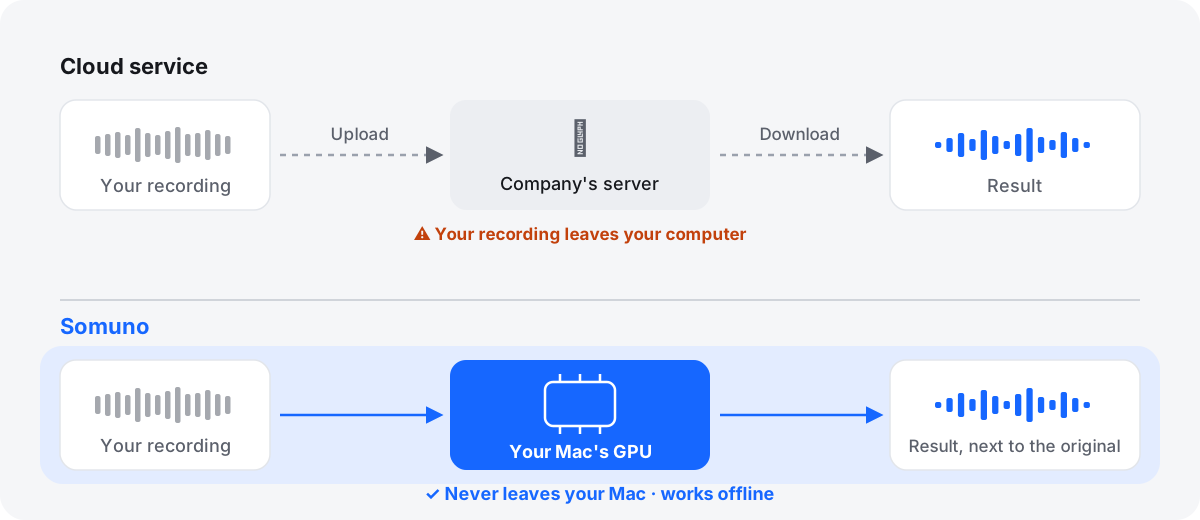
For confidential interviews, unreleased episodes or research recordings, check what your organization allows before uploading anything to any service.
Video: edit in Descript, or replace the soundtrack
Descript imports MP4, M4V, MOV, WEBM and MKV video (ProRes needs Creator or above), and you edit and export the video inside Descript. Somuno handles video differently: for MP4, MOV and M4V files, it replaces only the soundtrack and copies the picture as is, without re-encoding. You get the same video back with a cleaner voice. Somuno doesn't open WEBM or MKV, and it doesn't cut or edit the picture.
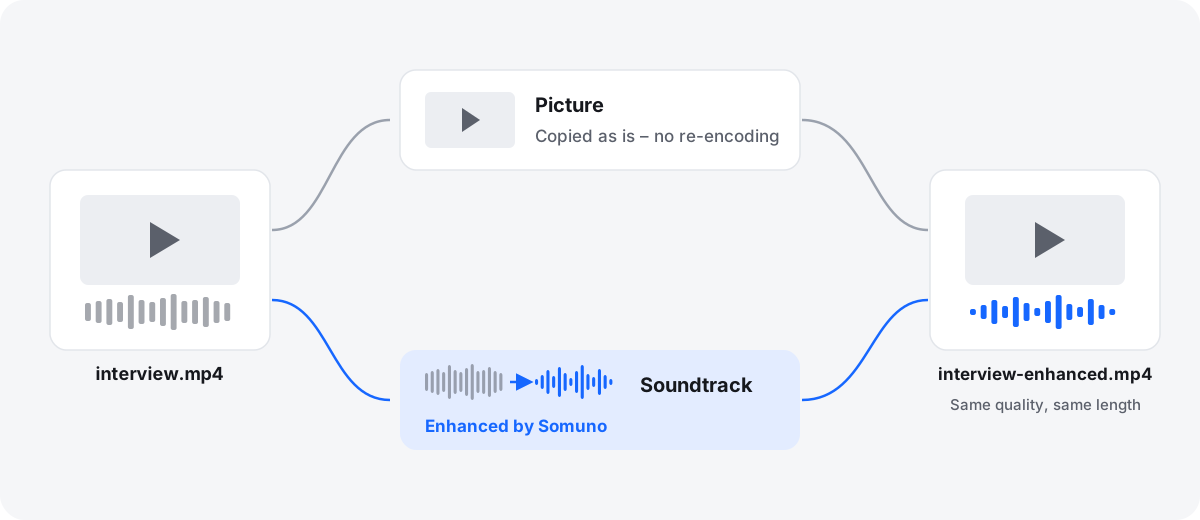
On audio formats, both open WAV, AIFF, FLAC, MP3 and AAC. Descript also opens OPUS but lists the Apple Lossless (ALAC) codec as unsupported, while Somuno opens Apple Lossless. More in how to clean up the audio in a video.
Cleaning many files at once
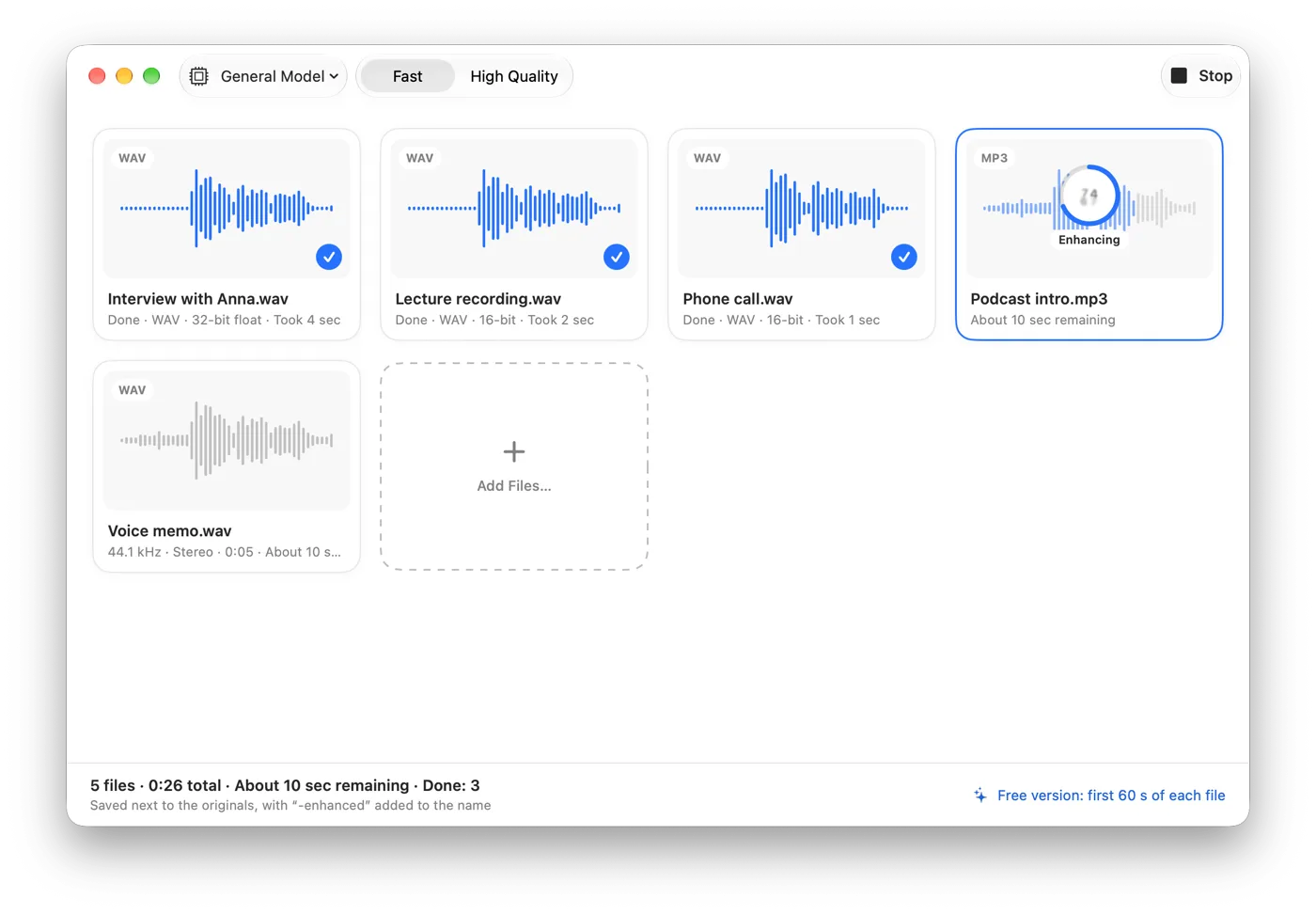
We found no dedicated batch tool in Descript's help center: you apply Studio Sound to each file or layer in a project. Somuno is built around a queue, in the free version too. Drop in files or whole folders, and each result is saved next to its original, or in a folder you choose, with “-enhanced” added to the name, so nothing is overwritten. See how to clean up a whole folder of recordings.
What each one does to the voice
Descript describes Studio Sound as an effect that “enhances spoken voice by reducing background noise, echo, and other distractions”, and its marketing says it “isolates your audio, then regenerates it”. Its help center notes that it “only works on recorded audio, not AI-generated speech”, and that if a noisy recording goes silent, you should lower Intensity or turn it off.
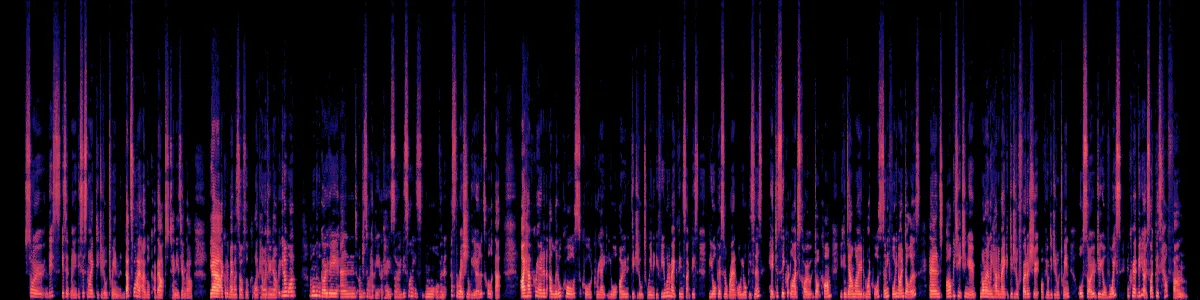
Somuno's model handles background noise and hum, room reverb, clipping, missing high frequencies, codec artifacts, dropouts and low-quality microphones in one pass. You choose General Model or Keep Laughter, and Strength (0–100 %) mixes the original back in. Here is Somuno's output on a phone video with noise around the speaker, default settings, level-matched. This is Somuno's result only. We haven't processed this clip with Descript.
Talking to a phone camera
A phone video with noise all around the speaker.
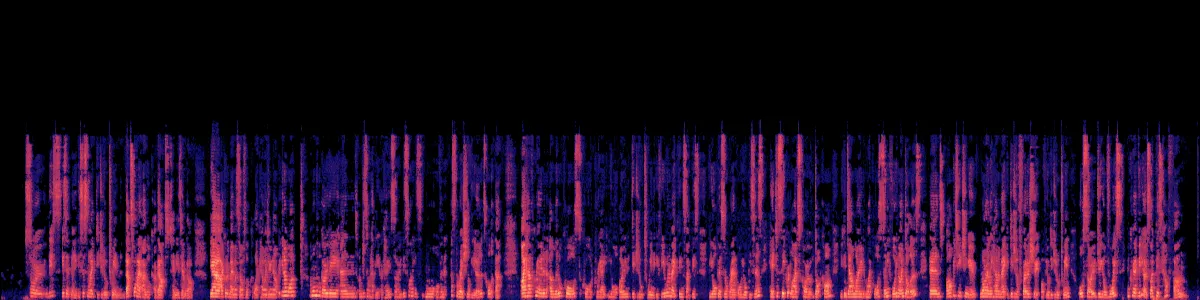
 OriginalEnhanced
Original
Enhanced by Somuno
Who should use which
Choose Descript if…
- you want to edit your episodes or videos by editing the transcript
- you'll use its other AI tools, transcription and export, not just Studio Sound
- you work on Windows, an Intel Mac or in a web browser
- you want to clean the voice while you record
Choose Somuno if…
- you already edit in another app and only need cleaner voices
- your recordings shouldn't leave your Mac, or you work offline
- you clean whole folders of files
- you want video files back with the picture untouched
- you'd rather pay once than track hours and credits
You can also use both: clean files in Somuno, then import them into Descript to edit. If you do, leave Studio Sound off for those files. Stacking two cleanup passes often makes a voice sound thin.
Bottom line: Studio Sound is a good reason to stay in Descript if you edit there. Somuno is for people who edit elsewhere and want a local, one-time-price cleanup step on their Mac.
How to compare them on your own recording
- Pick a recording with the noise or echo you care about and export a one-minute clip, as WAV if you can. Somuno's free version enhances the first 60 seconds.
- Process it in Somuno with default settings. In Descript, add the same clip, turn on Studio Sound at its default Intensity, and export the result.
- Match the loudness of the two results, then listen on headphones.
- Listen to the pauses, the consonants and the word endings. If either sounds over-processed, lower Strength in Somuno or Intensity in Descript and try again.
Whichever you pick, start with a good recording: close to the mic, in a soft room, with a few seconds of room tone, saved as a lossless file. You can also hear more examples in the before-and-after samples or read Somuno vs Adobe Podcast.
Questions
Does Descript Studio Sound work offline?
No. Descript's help center says Studio Sound requires an internet connection. Somuno processes files on your Mac and works offline.
Is Studio Sound free?
The free plan includes limited use of AI tools, with 100 AI credits once and 1 media hour a month (as of November 2026). Studio Sound uses AI credits, up to 30 per file. Paid plans start at US$16 per person per month billed yearly.
Can I use Somuno and Descript together?
Yes. Somuno saves cleaned files that you can import into Descript or any other editor. Somuno isn't a plugin, so it doesn't run inside Descript.
Can Somuno edit audio or make transcripts?
No. Somuno removes noise and reverb from voices and repairs damaged recordings. It doesn't edit, transcribe or level audio.
Does Somuno sound better than Studio Sound?
We haven't run listening tests of Studio Sound, so we can't say, and it depends on the recording. Try both on the same clip, matched in loudness.