 Somuno
Blog › Comparisons
Somuno vs Audacity Noise Reduction: free classic or AI cleanup?
Audacity is a free, open-source audio editor, and its Noise Reduction effect is the classic way to clean up a recording. You select a moment of pure noise, Audacity learns its “noise profile”, and then it reduces that noise across the track. It's built for steady sounds like hiss, hum and air conditioning. Somuno is a Mac app that uses an AI speech-enhancement model instead: there's no profile to capture, and it also removes room reverb and repairs damage such as clipping and missing high frequencies.
If your problem is steady hiss or hum, start with Audacity. It's free, it runs on Mac, Windows and Linux, and you may need nothing else. Choose Somuno if your noise isn't the steady kind Noise Reduction is built for, if the voice sounds echoey or damaged, or if you need to clean video files or whole folders at once – something Audacity 4.0 can't batch yet – and you have an Apple silicon Mac. We haven't run listening tests comparing the two, so try both on your own recording: both can be tried for free.
Somuno is made by the author of this blog. Facts about Audacity come from its official website, manual and release notes, and from Intel's official pages for its Audacity plugins, checked in November 2026. Audacity is changing quickly, so check the current version before you rely on a feature.
Somuno and Audacity at a glance
| Somuno | Audacity Noise Reduction | |
|---|---|---|
| What it is | Mac app that removes noise and reverb from voices in audio and video files, and repairs damaged recordings | A built-in effect in Audacity, a free, open-source audio editor |
| Where audio is processed | On your Mac's GPU. Never uploaded | On your computer, in the desktop app. Audacity's docs describe no cloud processing for effects |
| Platforms | Mac with Apple silicon (M1 or later), macOS 14 Sonoma or later | Windows, macOS and Linux. Mac downloads for Apple silicon and Intel |
| Price (as of November 2026) | US$19.99 one-time on the website, for up to 3 Macs. In-app purchase in the Mac App Store version, priced by Apple. No subscription | Free |
| Free option | Free version with every feature. Enhances the first 60 seconds of each file | Completely free and open source, with no limits |
| What it fixes | Background noise and hum, room reverb and echo, clipping, missing high frequencies, codec artifacts, dropouts, low-quality microphones | Steady background noise such as hiss, hum and air conditioning. Not one-off sounds like a door slam |
| Video files | MP4, MOV and M4V: the soundtrack is replaced, the picture is copied without re-encoding | Imports the audio from video files. The 3.x manual says MP4 and MOV work on Mac without extra software, and most other video with the optional FFmpeg library. Its docs describe no video export |
| Batch processing | Yes, in the free version too. Files and whole folders go into a queue | Audacity 3.x: yes, with Macros. Audacity 4.0 (September 2026): not yet, the Macro Manager is planned for a later release |
| Account or internet needed | No account. Works offline | Free download. Noise Reduction runs in the desktop app |
How Audacity's Noise Reduction works
Noise Reduction works in two passes, as described in Audacity's manual:
- Select a stretch of audio that contains only the noise – a pause, or the room tone before someone speaks – and choose Get Noise Profile.
- Select the audio you want to clean and apply the effect, with three controls: Noise reduction (0–48 dB, default 6), Sensitivity (default 6) and Frequency smoothing (0–12 bands, default 6).
You can preview what's being removed with the “Residue” option. It's transparent and controllable: you can see exactly what it does and turn it up or down. The manual is also honest about its limits. It says the effect “suits constant background noise; it will not remove one-off sounds like a door slam”. The older 3.x manual adds that it does poorly on “irregular background noise such as from traffic or an audience”, or when the noise is very variable or very loud, and that heavy settings cause “musical noise” – a warbly, watery sound.
So the classic approach depends on two things: the noise has to be steady, and you need a clean stretch of it. That's one reason to record a few seconds of room tone before you start talking, whatever tool you'll use.
How Somuno is different
Somuno doesn't need a noise profile: you just drop in files, and its AI speech-enhancement model handles several kinds of damage in one pass:
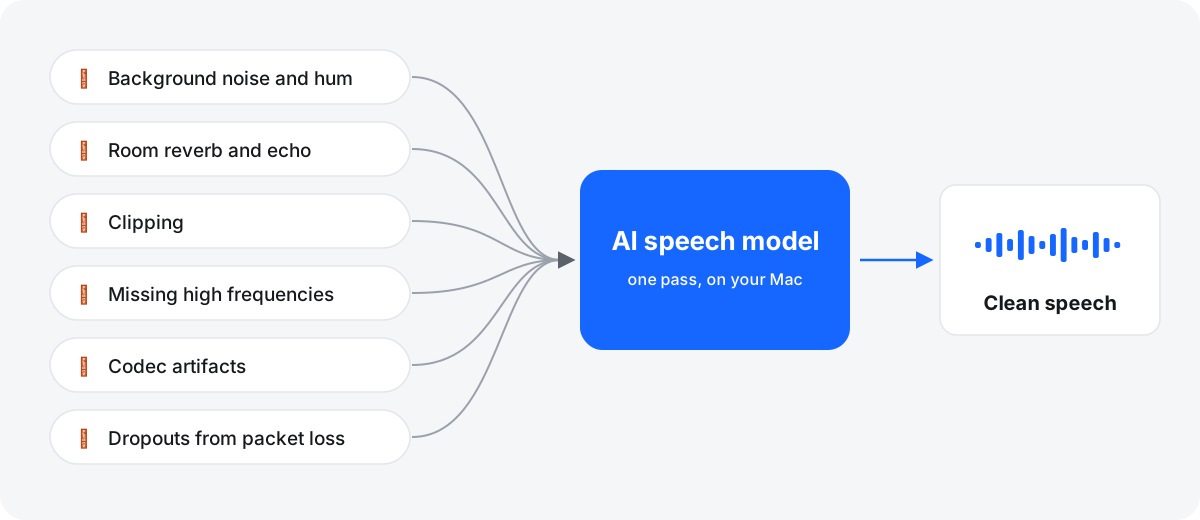
The trade-off is control. Audacity gives you three parameters and a preview of the removed noise. Somuno gives you two model choices – General Model, or Keep Laughter, which removes noise but keeps laughter – and one Strength slider from 0 to 100 % that mixes the original back in. There's no spectral editing and no per-band control. Somuno is also built for speech only: it removes or distorts music and other non-speech sounds in the background.
Echo and room reverb
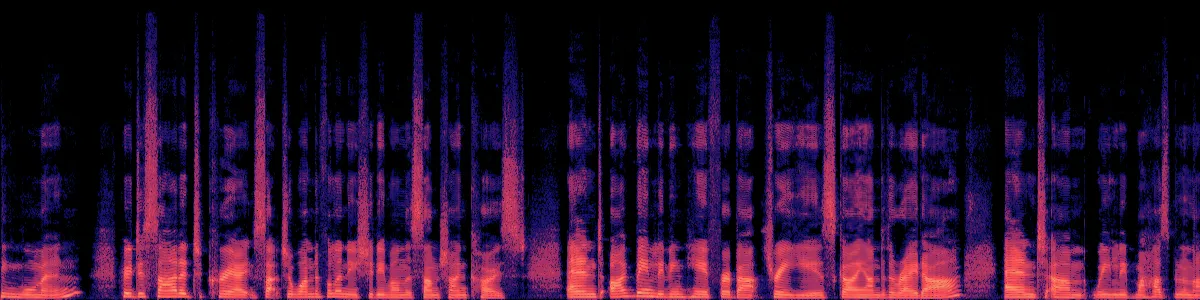
Audacity's documentation describes Noise Reduction as an effect for steady background noise, not for room reverb. Removing echo is one of the main things Somuno is for. Here is Somuno's output on a talk recorded across a large, echoey room, with default settings. These spectrograms show Somuno's result only. We haven't processed this clip with Audacity.
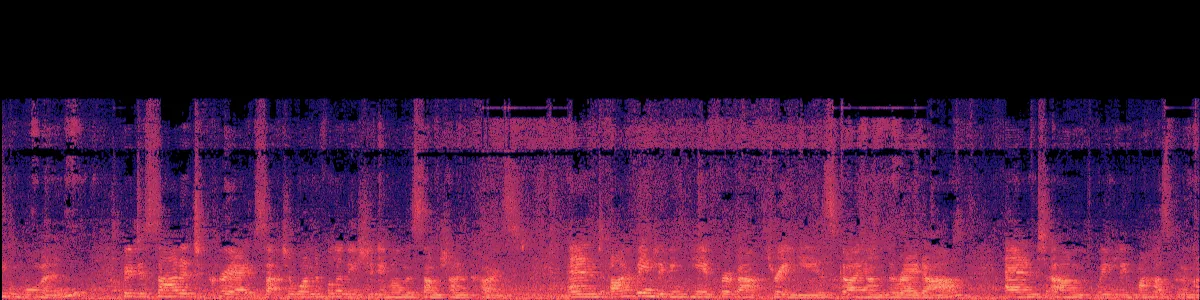 After Somuno
More on this in how to remove echo from a voice recording.
Audacity 4.0: batches and AI plugins
Audacity 4.0 came out on September 3, 2026, and the current version is 4.0.2 (November 2, 2026). Two things haven't arrived in 4.0 yet:
- No batch processing for now. In Audacity 3.x, Macros can apply a chain of effects to many files. The 4.0 release notes say the Macro Manager and the scripting pipe aren't included and are planned for a future release.
- No AI noise plugins on 4.0 yet. Intel's free OpenVINO plugins add AI effects to Audacity, including Noise Suppression, and run locally. On Mac they're a beta build, and Audacity's download page warns they're “not yet compatible with the latest Audacity version”. An Intel contributor wrote in October 2026 that the Mac plugins work only with Audacity 3.7.x.
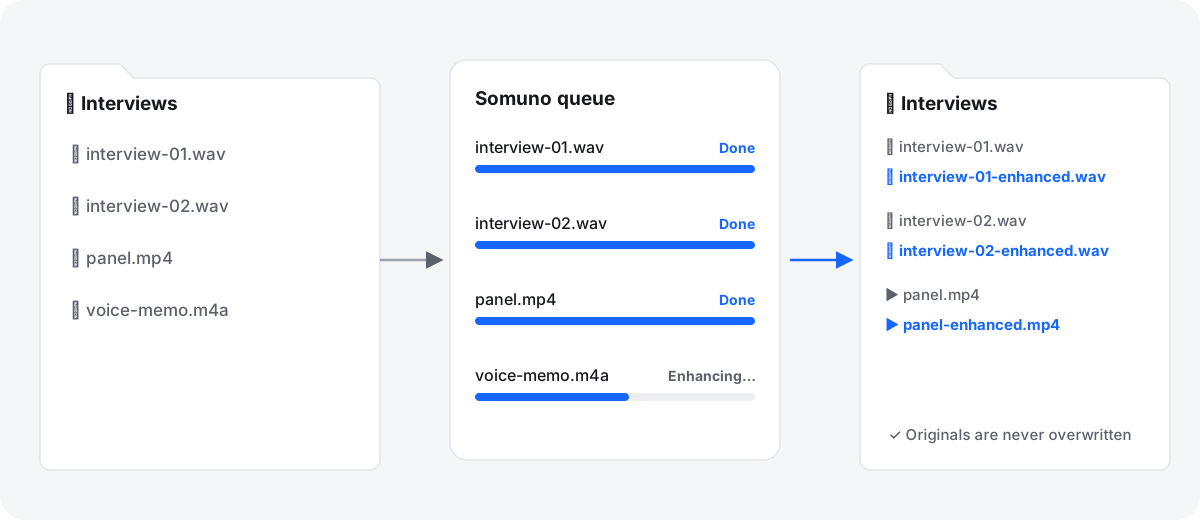
So, as of November 2026, if you want batches or the AI plugins in Audacity on a Mac, you'd stay on Audacity 3.7.x for now. Somuno's queue is in the free version: add files or whole folders, and each result is saved next to its original with “-enhanced” in the name. See how to clean up a whole folder of recordings.
Video files
Audacity works on audio. Its 3.x manual says that on Mac it can import the audio from unprotected MP4 and MOV files, and from most other video files with the optional FFmpeg library, which is a separate install. Its documentation describes no video export, so you'd put the cleaned audio back in a video editor. Somuno replaces the soundtrack of MP4, MOV and M4V files directly and copies the picture without re-encoding.
Which one should you choose?
Choose Audacity if…
- your noise is steady hiss, hum or air conditioning, and you have a stretch of it to profile
- you want something free, open source and cross-platform
- you also need to edit, cut and export the recording
- you want hands-on control over how much is removed
- you're on Windows, Linux or an Intel Mac
Choose Somuno if…
- your noise isn't steady, or there's no clean stretch of it to profile
- the voice sounds echoey, clipped, muffled or like a phone call
- you clean video files or whole folders
- you'd rather drop in files than tune settings
- you have a Mac with Apple silicon
Bottom line: For steady hiss, Audacity's free Noise Reduction may be all you need, and it's worth trying first. Somuno is for the problems a noise profile isn't built for – irregular noise, echo, damaged audio – and for cleaning many files or videos in one go on a Mac. Try its free version on your own recording first.
How to compare them on your own recording
- Pick a recording and export a one-minute WAV clip with the problem in it. Somuno's free version enhances the first 60 seconds of each file.
- In Audacity, profile a second or two of pure noise, apply Noise Reduction at the defaults, then export.
- In Somuno, process the same clip at the default settings.
- On headphones, listen to the pauses (is the noise gone, or replaced by warbly “musical noise”?) and the consonants (do S, T and F stay crisp?).
- If a result sounds over-processed, back off: lower the reduction in Audacity or Strength in Somuno.
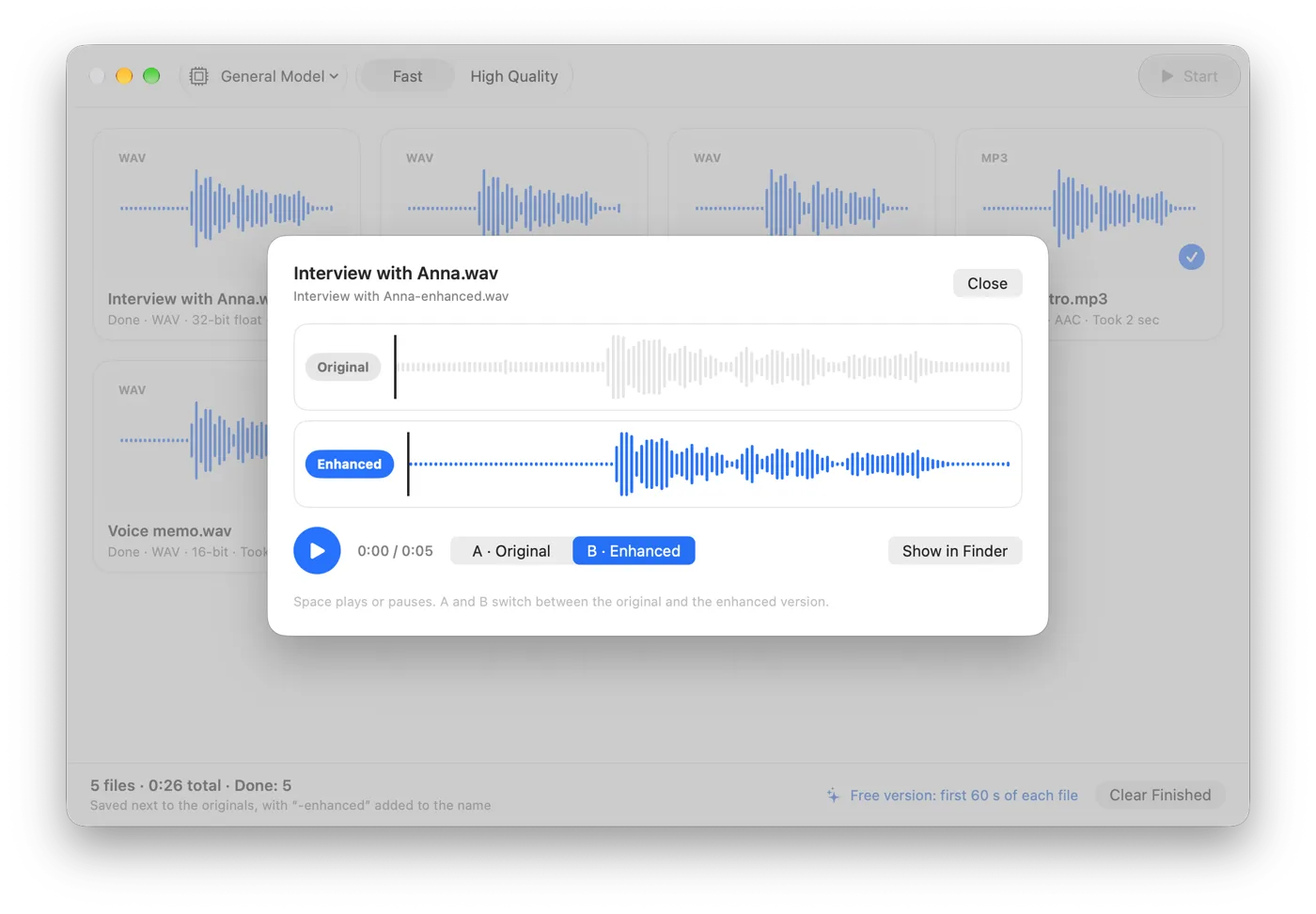
Don't stack the two on the same file: two cleanup passes often make a voice sound thin. For more methods, read how to remove background noise from audio on Mac, or hear the before-and-after samples.
Questions
Is Audacity's Noise Reduction good enough?
For steady noise such as hiss, hum or air conditioning, often yes, and it's free. Audacity's manual says it isn't meant for one-off sounds, and that irregular noise such as traffic or an audience gives poor results.
Can Audacity remove echo or reverb?
Audacity's documentation describes Noise Reduction as an effect for steady background noise and doesn't describe it as removing reverb. Somuno removes room reverb and echo from voices.
Can Audacity 4 batch process files?
Not as of November 2026. The Audacity 4.0 release notes say the Macro Manager isn't included yet and is planned for a future release. Audacity 3.x still has Macros.
Do the OpenVINO AI plugins work with Audacity on a Mac?
Only as a beta, and only with Audacity 3.7.x. As of November 2026, they don't work with Audacity 4.
Is Somuno free like Audacity?
No. Somuno's free version has every feature but enhances only the first 60 seconds of each file. Somuno Pro is US$19.99 once on the website, with no subscription.